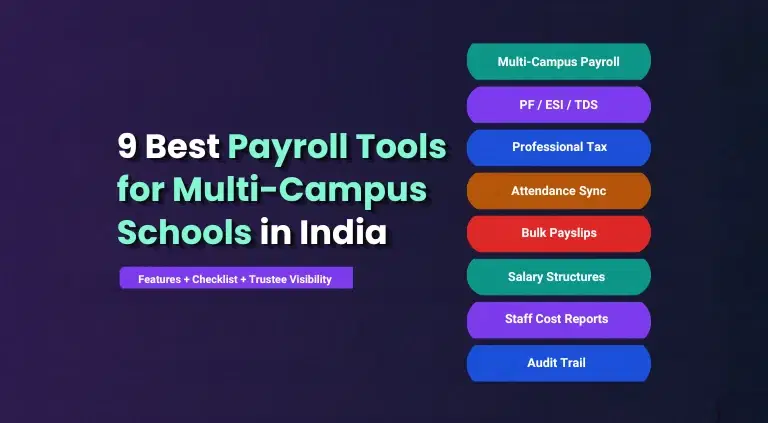
Running payroll for a school is not the same as running payroll for a company. A school employs teaching staff, non-teaching staff and contractual hires, each with different salary structures. And each of them falls under the Employees' Provident Fund (EPF) and Employees' State Insurance (ESI) Acts once the institution crosses the applicable staff threshold.
The cost of getting this wrong is not small. A 30-50 employee school making 3 or 4 common payroll errors can face penalties of Rs. 5-20 lakh a year across EPFO, ESIC, Income Tax and Labour Department authorities.
Late PF deposits alone attract 12% annual interest. Plus graded damages of 5%-25% depending on the delay. An EPFO audit can assess these damages retroactively across several years.
For schools & school groups running payroll on spreadsheets, this risk compounds every month. ESI applies to staff earning up to Rs. 21,000 gross a month, a bracket that covers a large share of non-teaching and contractual school staff. Which is exactly why purpose-built ESI and EPF payroll software for schools becomes a serious buying decision for HR & finance leaders.
TL;DR
ESI and EPF payroll software for schools is payroll tech that calculates & files statutory deductions, Provident Fund (PF), Employees' State Insurance (ESI), Professional Tax (PT), and TDS, automatically for teaching, non-teaching, and contractual staff.
Schools need it because manual PF & ESI tracking across multiple staff categories & campuses is where most compliance errors originate. And the penalties for missed deposits or late filings run into lakhs even for a single mid-sized school.
The right software links attendance, leave, and salary structures to statutory calculation in one workflow. edumerge Payroll builds this natively for education:
- PF, ESI, PT, and TDS are computed automatically against each employee's profile and applicable state rules,
- LOP is pulled directly from attendance and leave data already in the HRMS,
- and Form 16 & PF/ESI-ready statutory reports are generated within the same cycle.
HR never has to track rate changes by hand, and finance gets a bank-ready transfer file the moment payroll is finalised.
Why Do Schools Need a Specialized ESI and EPF Payroll Software?
Schools carry a payroll structure that generic software was never designed around. Teaching staff, non-teaching staff, contractual hires and part-time faculty each need separate salary templates. And each of them is subject to the same statutory deductions under different eligibility rules.
- Diverse staff categories on one payroll: Teaching, non-teaching and contractual staff need different allowance structures. But identical PF and ESI eligibility logic applied correctly for each.
- Threshold-based applicability: ESI becomes mandatory once an institution crosses 10 employees in most states. And PF coverage applies once staff strength reaches 20. Crossing either threshold without registering within the window creates retrospective liability.
- Monthly filing deadlines: PF contributions and ECR filing are due by the 15th of the following month, every month, for every campus under the trust.
- Annual returns and forms: ESI half-yearly returns, PF annual reconciliation and Form 16 or Form 24Q issuance all sit on a compliance calendar that is easy to miss when tracked manually.
- Multi-campus trusts: A group running several school campuses under one trust needs consolidated statutory registers, not 5 separate spreadsheets that may quietly drift out of sync with each other.
The difference between ESI and EPF payroll software built for schools and a normal payroll tool comes down to how well it understands the school's staff structure and academic calendar. Not just whether it can calculate a deduction.
"PF and ESI compliance is just one part of a wider staffing problem across Indian institutions. See the full picture in 7 HR challenges in educational institutions."
| What to Compare | Normal Payroll Software | ESI/EPF Payroll Software for Schools |
|---|---|---|
| Staff categories | One generic employee type | Teaching, non-teaching and contractual templates built in |
| Pay cycle logic | Fixed monthly office cycle | Follows the academic calendar, including exam duty and session breaks |
| Attendance linkage | Manual upload or basic integration | Biometric or geo-fenced attendance feeds LOP directly into payroll |
| Compliance filings | Generic PF/ESI challan support | PF ECR, ESIC challan, Form 16 and Form 24Q generated per campus |
| Multi-entity handling | Single legal entity assumption | Consolidated payroll across campuses under one trust |
Choosing the right platform is only step one. The actual rollout, from structure setup to statutory sign-off, is covered in how to automate payroll for schools & colleges in India.
Key Features to Look for in an ESI and EPF Payroll Software for Schools
Once a school or trust decides to move off manual tracking, the feature list matters more than the brand name on the pitch deck. These are capabilities that separate a genuine fit from a generic payroll tool with an education label on top.
| Feature | What It Does | Why It Matters for Schools |
|---|---|---|
| Automated PF, ESI, PT and TDS calculation | Runs statutory deductions on every payroll cycle without manual input | Removes the single biggest source of compounding compliance errors |
| Teaching and non-teaching salary templates | Separate structures, allowances and deduction rules per staff category | Matches how schools actually structure pay, not a generic office template |
| Attendance and leave-linked payroll | Feeds biometric or geo-fenced attendance directly into loss-of-pay calculation | Cuts month-end manual reconciliation between attendance and salary |
| PF ECR and ESIC challan generation | Auto-generates statutory filing formats ready for portal upload | Keeps monthly filing deadlines from depending on one person's memory |
| Form 16 and Form 24Q generation | Produces annual tax documents for every staff member automatically | Removes a manual, error-prone task from the finance team's year-end load |
| Multi-campus payroll consolidation | Runs payroll for every campus under a trust from one dashboard | Gives trustees one board-ready view instead of five spreadsheets |
| Bank disbursement file generation | Creates bank-format files for direct salary credit | Removes manual transfer initiation and reduces disbursement errors |
| Employee self-service portal | Lets staff view payslips, apply for leave and update details themselves | Cuts routine HR desk visits for teaching and non-teaching staff alike |
| Real-time compliance dashboard | Shows payroll cost, headcount and statutory status across campuses | Gives finance heads and trustees audit-readiness without waiting for a report |
| Automatic statutory rate updates | Updates PF, ESI and tax rates as regulations change | Keeps compliance correct through changes like the new wage codes without a manual rebuild |
Getting payroll right solves compliance, not performance. Pairing it with structured evaluation is covered in faculty appraisal systems for educational institutions.
Top 7 ESI and EPF Payroll Software for Schools in India
1. edumerge HRMS
The most comprehensive payroll suite built specifically for schools, colleges, and groups of institutions in India. With PF, ESI, PT, and TDS compliance built directly into a four-portal system.
Key strengths:
- PF, ESI, PT, and TDS are computed automatically against each employee's profile and applicable state rules. With PF ECR and ESI returns generated ready for filing, no manual compilation needed.
- Form 16 generation and dual tax regime selection (old vs new) run within the same monthly cycle, so statutory compliance never becomes a separate offline process.
- A four-portal architecture (Staff, Admin, Taxation, Finance) means LOP is sourced directly from staff attendance and leave data already in the HRMS. Removing reconciliation errors between departments.
- Payroll Structure Builder supports multiple salary structures across staff grades, with bulk Excel uploads for large institutions or academic-year restructures.
- Bank transfer file generation for NEFT/RTGS is produced automatically on payroll finalisation, alongside disbursement tracking for finance.
- Full and final settlement runs inside the same admin workflow, with staff able to track settlement status from the Staff Portal.
- Sits within edumerge's wider HRMS (recruitment through exit) and Finance & Control suite. Giving trustees & finance heads cost-centre visibility and audit-ready records across every campus in a group.
2. greytHR
A widely used India-focused HR and payroll platform. Mostly adopted by corporates and occasionally by larger school administrative offices for staff payroll alone.
Key strengths:
- Automated PF, ESI, and PT computation with statutory challans and reports generated for filing.
- Employee self-service portal for payslips, Form 16, and investment declarations.
What to note:
- Built for general SMEs and corporates, not education, so teaching versus non-teaching pay structures and categories like transport or hostel staff need manual configuration.
- No student, admission, or fee module, so schools running it still maintain a separate ERP for academic operations.
Take a deeper look into how edumerge HRMS compares with greytHR.
3. Keka HR
A modern cloud HR and payroll suite popular with mid-size Indian companies. Sometimes used by larger school groups purely for staff payroll.
Key strengths:
- Automated PF, ESI, PT, and TDS compliance with auto-updated statutory slab rates.
- Performance management and engagement modules bundled alongside payroll.
What to note:
- Designed around corporate workforces; contract teachers, part-time faculty, and hostel or transport staff categories become time-consuming customizations,
- Per-employee-per-month pricing can get expensive for large teaching staff headcounts without an education-tier plan.
You might also like our comparison between edumerge HRMS vs Keka HR.
4. Zoho Payroll
A budget payroll module from the Zoho suite, used by smaller schools already on Zoho Books or Zoho People.
Key strengths:
- PF, ESI, PT, and TDS computed automatically with statutory report generation.
- Affordable per-employee pricing, suited to smaller institutions with tighter budgets.
What to note:
- No dedicated school ERP layer, so attendance, admissions, and fee data sit outside payroll and need manual syncing.
- Compliance updates follow general SME cycles rather than education-specific norms such as aided school pay scales or state board salary structures.
Discover how edumerge HRMS compares with Zoho People.
5. factoHR
A compliance-first payroll and HR automation platform aimed at larger, multi-location organisations.
Key strengths:
- Automates EPF, ESI, PT, LWF, and minimum wage checks, with ECR generation for PF and ESI in a single pass.
- Integrates attendance, leave, expense, and travel data into one payroll run.
- MIS reporting layer built for scale across multiple locations.
What to note:
- Built for corporate and industrial payroll compliance, not academic-year cycles or trustee-level reporting that Groups of Institutions need.
- Requires a separate system entirely for admissions, fee collection, and academic administration.
6. CampusCare 10X (Entab)
A school ERP with a built-in staff payroll module, aimed specifically at K-12 institutions in India.
Key strengths:
- Biometric, RFID, or manual attendance feeds directly into payroll for LOP-adjusted salary calculation.
- Automated PF, ESI, TDS, and gratuity handling, with Form 16 and statutory registers generated in-system.
What to note:
- Payroll depth is lighter than dedicated HR platforms
- Features like structured tax regime selection, investment declaration workflows, and finance cost-centre views are less developed.
- Positioned mainly for single schools and small groups, with limited proof at multi-campus Group of Institutions scale.
7. Saral PayPack
A dedicated statutory compliance payroll tool built around Indian regulatory complexity. Sometimes used by school back offices purely for payroll processing.
Key strengths:
- Deep, purpose-built automation for PF, ESI, PT, and TDS filings, including electronic challan generation.
- Flexible salary structuring with both cloud and on-premise deployment options.
What to note:
- A standalone payroll tool with no student, admission, or fee management, so schools need to integrate it separately with their ERP.
- Interface and workflows are built for accountants and back-office staff rather than teacher-facing self-service.
For a wider comparison across more platforms, top 10 automated payroll tools for educational groups in India takes the evaluation further.
How to Choose the Right ESI and EPF Payroll Software?
Different roles in a school or trust weigh the same decision differently. A trustee cares about consolidated visibility, while an IT head cares about data security & integration effort.
Use the checklist below to make sure every stakeholder's priority gets evaluated, not just the one the vendor leads with in a demo.
| Evaluation Criteria | What to Verify | Who Prioritises This |
|---|---|---|
| Statutory accuracy and update frequency | Ask how PF, ESI and TDS rate changes are rolled out, and how quickly | Finance Head |
| Multi-campus and multi-entity support | Confirm consolidated payroll runs across campuses under one trust | Trustee / Chairperson |
| Staff-category-specific salary structures | Check templates exist for teaching, non-teaching and contractual staff | Principal / Academic Head |
| Attendance and leave integration | Verify biometric or geo-fenced attendance feeds directly into payroll | Operations Head |
| Compliance filing automation | Confirm PF ECR, ESIC challan, Form 16 and Form 24Q are generated in-app | Finance Head |
| Data security and role-based access | Check who can view or edit salary and personal data, and how access is controlled | IT Head / Admin |
| Implementation timeline and support | Ask how long onboarding takes and what support looks like after go-live | ERP Decision-Maker |
| Academic calendar alignment | Confirm pay cycles handle exam duty, session breaks and academic-year timing | Principal / Academic Head |
For groups of institutions running payroll across multiple campuses, the visibility gap this creates for leadership is explored in what trustees can't see about staff across campuses: the HRMS blind spot.
Conclusion
ESI and EPF compliance for schools is not optional, and manual tracking across teaching, non-teaching and contractual staff is where most penalties quietly originate. The right payroll software closes this gap before an audit ever finds it.
Schools and trusts that choose statutory-first, education-native payroll gain accuracy, faster filings and one consolidated view across every campus, not five disconnected spreadsheets.
edumerge HRMS payroll was built for exactly this problem. PF, ESI, PT and TDS run correctly for every staff category, on every campus, without HR chasing rate changes by hand.
Frequently Asked Questions
1. At what staff strength does ESI become mandatory for a school?
ESI applies once an institution crosses 10 employees in most states. Though some states extend the threshold to 20 or more; registration must happen within 15 days of crossing it.
2. What is the ESI salary threshold for coverage?
ESI covers employees earning up to Rs. 21,000 gross a month, or Rs. 25,000 for employees with disabilities.
3. What happens if a school misses a PF deposit deadline?
Late PF deposits attract 12% annual interest plus graded damages of 5%-25% of the arrears depending on the delay, and EPFO can assess these damages retroactively across multiple years.
4. Does ESI and EPF payroll software handle both teaching and non-teaching staff?
Yes, dedicated school payroll software maintains separate salary templates and allowance structures for teaching, non-teaching and contractual staff. While applying the same statutory eligibility rules to each.
5. Can this kind of software handle payroll across multiple school campuses?
Yes, purpose-built platforms like edumerge HRMS consolidate payroll across every campus under a trust into one dashboard. While each campus retains its own staff records and pay policies.
6. Does the software generate PF and ESI filing documents automatically?
Yes, it should generate PF ECR files, ESIC challans, Form 16 and Form 24Q directly. So filings do not depend on a single person tracking due dates manually.
7. How does attendance affect payroll in school-specific software?
Biometric or geo-fenced attendance feeds directly into the payroll engine. So loss-of-pay, exam-duty pay and leave adjustments are calculated automatically instead of at month-end by hand.
8. Who should be involved in choosing ESI and EPF payroll software for a school?
Finance heads, IT heads, principals and trustees each weigh different priorities. So the decision should involve statutory accuracy, data security, staff-structure fit and multi-campus visibility together, not one stakeholder alone.
9. Is edumerge HRMS built specifically for schools?
Yes, edumerge HRMS is built natively for Indian educational institutions. With statutory payroll, attendance-linked salary calculation and multi-campus consolidation designed around the academic calendar rather than a corporate one.
10. How long does it take to implement school payroll software?
Implementation timelines vary by institution size and number of campuses. But a school-specific platform should have staff records, leave policies and payroll structures configured well within the same term, not months later.