College Student Performance
Student Performance Portal for Colleges & Universities
Student-facing academic performance portal with semester grades, SGPA/CGPA tracking, and subject-wise analysis
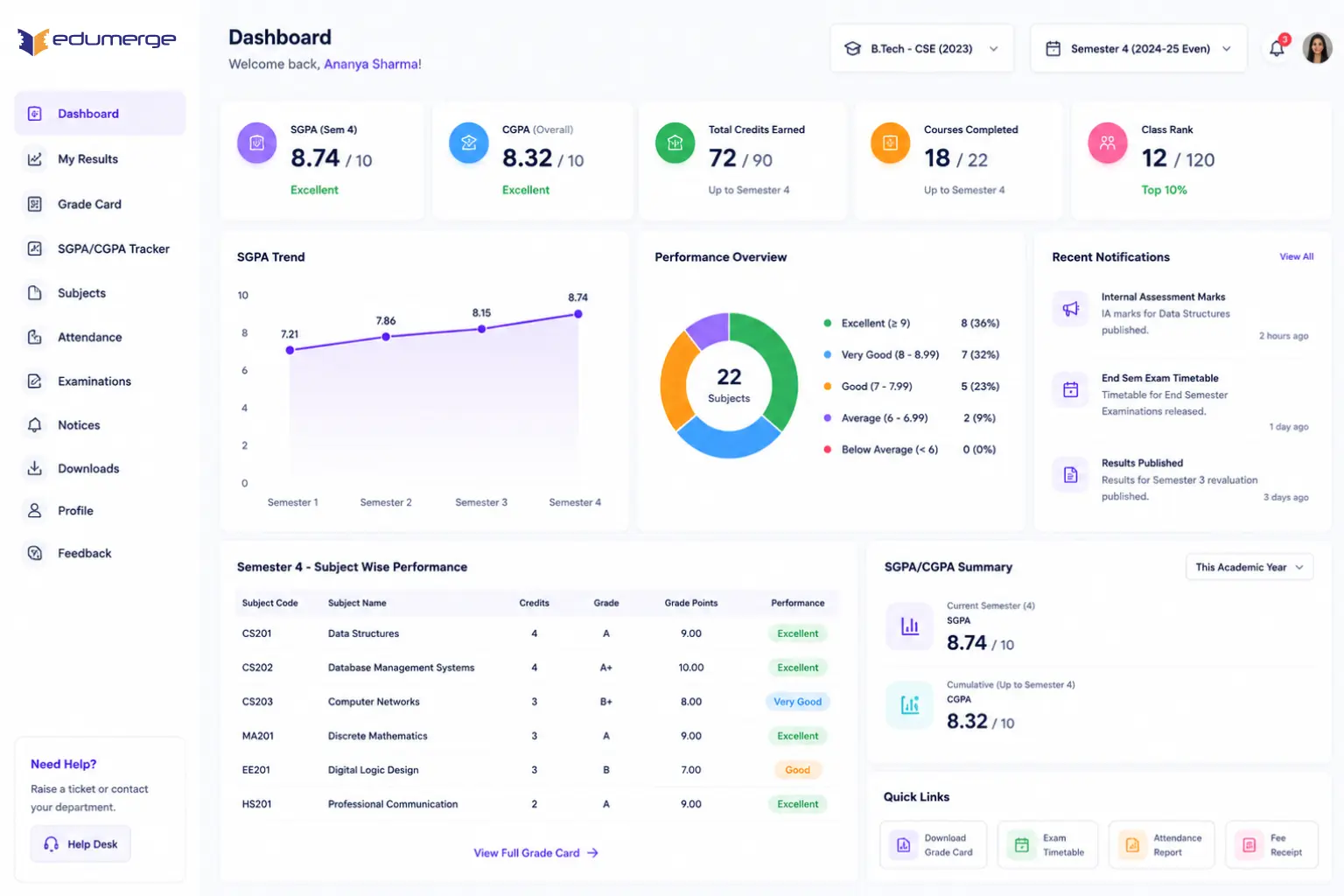
- Academic performance overview by semester & course, all results in one place
- Grade Card: semester- & course-wise grades, printable directly from the portal
- SGPA & CGPA tracker with cumulative trend, subject-wise breakdown, and results filtering by semester & course
Benefits
How Does it Help Colleges?
Students See Their Full Academic Picture
My Results gives every student a complete sem-by-sem performance view; no separate results portal or visit to the examination office needed.
SGPA/CGPA Trend Shows Direction
A single semester's SGPA tells a student where they stand now. Cumulative trend shows whether performance is improving, declining, or plateauing across academics.
Subject-Wise Breakdown Makes Performance Actionable
Subject-wise performance analysis shows exactly which subjects are pulling the overall average down and which are contributing positively.
Grade Cards Available Instantly
Once results are published in the College ERP, they are available in the student's Performance Portal automatically with printable grade cards.
Results Filtering by Semester & Course
Students filter their results view by semester or by specific course for targeted review rather than scrolling through their full academic history.
Reduces Exam Office Queries
Self-service access to grades and grade cards eliminates routine queries to the examination office, freeing staff for complex requests.
Features
Key Capabilities
A detailed view of every capability across Student Performance Portal.
My Results Performance Overview
Semester-By-Semester Overview
A chronological academic performance overview for every student showing all results across all courses.
All Results in One Place
Students see every result from their entire academic journey accessible from their home dashboard.
Course-Wise Result Organization
Results are organized and filterable by course, making it easy to review performance in specific programmes.
Grade Card (Semester-Wise & Course-Wise)
Formal Grade Card Display
The formal grade card for each semester showing course-wise grades, credits, and grade points.
Printable from Portal
Grade cards are available for viewing & printing directly from the portal without the examination office.
Multi-Format Grade Cards
Both semester-wise and course-wise grade card views available for different institutional requirements.
SGPA and CGPA Tracker with Cumulative Trend
Per-Semester SGPA Display
SGPA is calculated and displayed per semester with clear labeling of grade point average.
Cumulative CGPA Tracking
CGPA is tracked cumulatively across all completed semesters with running calculation updates.
Trend View Across History
Trend view shows performance direction across student's academic history with visual graphs.
Subject-Wise Performance Analysis
Subject-Level Breakdown
Performance broken down to subject level: showing marks, grade & relative standing per subject for each sem.
Marks & Grade Per Subject
Each subject shows the raw marks obtained, grade awarded, and how it contributes to overall SGPA/CGPA.
Improvement Identification
Students & advisors see which subjects need improved, and which contribute positively to overall average.
Results Filtering and Navigation
Filter by Semester
Students filter results view by specific sem for targeted review of performance.
Filter by Course
Results are filterable by specific course, showing all semesters and subjects for that programme.
Self-Service Portal Access
Performance Portal requires no staff action after results are published.
Every Semester. Every Subject. Every Student. Self-Service.
See how edumerge's Student Performance module gives college students a complete self-service academic performance portal. Enriched with grade cards, SGPA/CGPA trend, subject-wise analysis, and results filtering.
Frequently Asked Questions
Common questions about the student performance and SGPA/CGPA portal
How is SGPA and CGPA calculated in edumerge's Student Performance Portal?+
SGPA is calculated and displayed per semester as soon as results are published in the College ERP, and CGPA is tracked cumulatively across all completed semesters with running calculation updates. Students see both figures alongside a trend view that shows whether their overall performance is improving, declining, or plateauing across their academic history.
Can students download or print their grade card online?+
Yes. Once results are published, semester-wise and course-wise grade cards showing course-wise grades, credits, and grade points are available directly in the Performance Portal for viewing and printing, with no need to visit the examination office.
Does the portal show subject-wise performance, not just overall grades?+
Yes. Subject-Wise Performance Analysis breaks results down to the subject level, showing marks obtained, grade awarded, and how each subject contributes to overall SGPA/CGPA. This helps students and advisors identify which subjects are pulling the average down and which are contributing positively.
Can students filter their results by semester or course?+
Yes. Results Filtering lets students view their academic performance by a specific semester for targeted review, or by a specific course to see all semesters and subjects within that programme, rather than scrolling through their entire academic history.
Does this reduce queries to the college examination office?+
Yes. Since results, grade cards, and SGPA/CGPA data become available in the student's Performance Portal automatically after publication, students get self-service access without staff action, which reduces routine queries to the examination office and frees staff for complex requests.