College Work Diary
Work Diary for College & University Faculty
Daily teaching log with evidence upload, feedback forms, and an approval trail, built into College ERP.
- Faculty log daily teaching activity with evidence, photos & files uploaded
- Student & faculty feedback forms configured per institution; custom fields
- Approval timeline tracks every diary entry through review
- Permanent record for NAAC documentation and internal QA
Overview
What Does College Work Diary Cover?
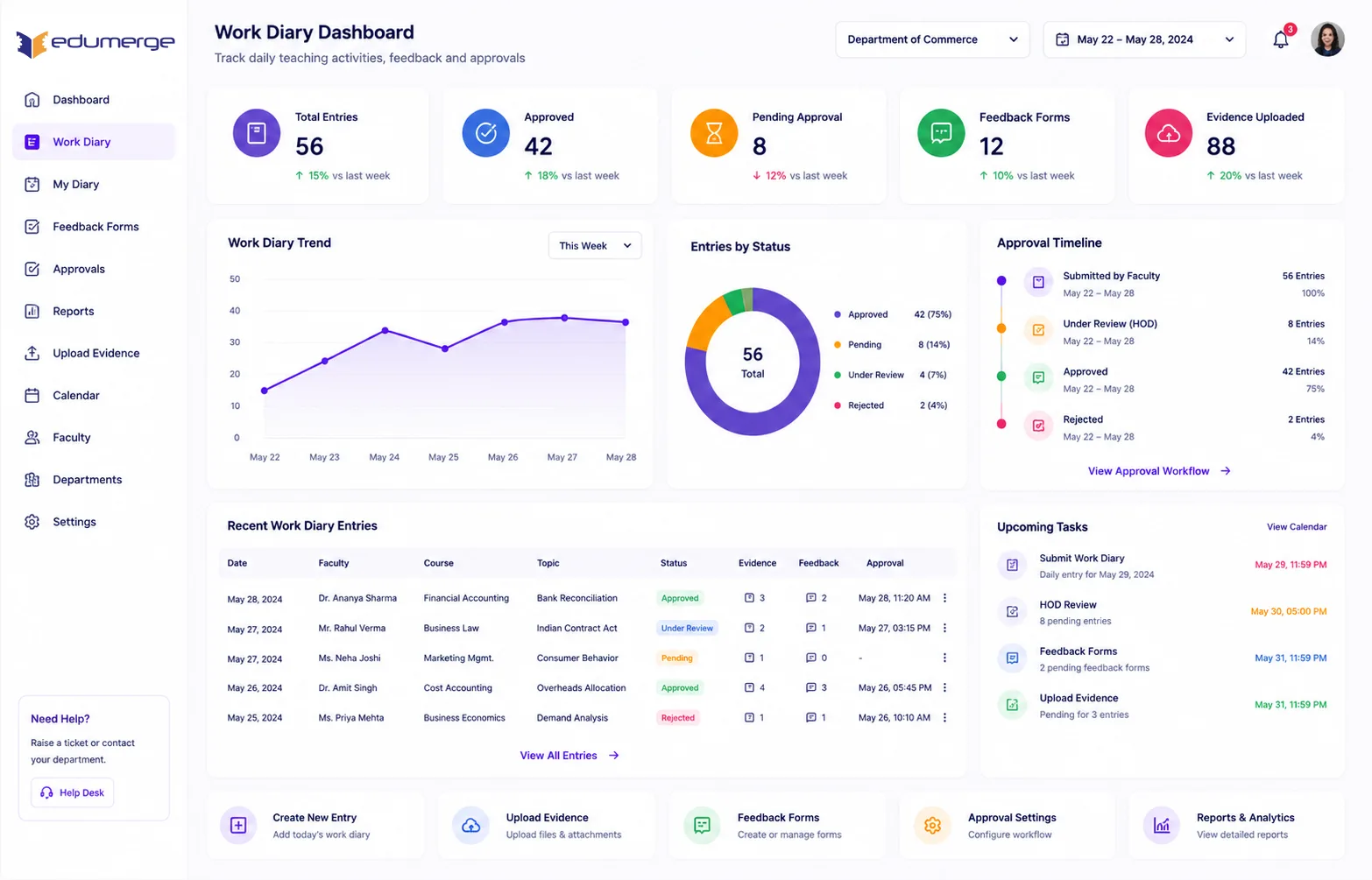
College Work Diary comprises a daily teaching log where faculty record sessions with evidence upload (photos, files), configurable feedback forms for students and faculty, and a full approval workflow tracking every entry through submission, review, and approval with a permanent audit trail for governance and NAAC documentation.
Benefits
How Does it Help Colleges?
Evidence-Backed Teaching Records
Work diary entries capture what was taught & provide evidence that it was taught; photos from the session, files shared with students & any supporting material.
Custom Fields Reflect College's Data Requirements
Different depts & institutions need different info from their faculty's daily teaching records. Colleges can define data points each diary entry must capture.
Approval Timeline Creates Permanent Governance Record
Every work diary entry moves through configured approval workflow. With a full timeline of submissions, reviews & approvals recorded against each entry.
Two Feedback Perspectives in One System
Student feedback form captures learner's view of each session. Faculty feedback view gives the faculty visibility into how their teaching is being received.
Features
Key Capabilities
A detailed view of every capability across Work Diary module.
Work Diary Entries (Daily Teaching Log)
Faculty record daily teaching activity: session content, delivery method, topics covered, and any notes, as a structured daily log within the College ERP.
Evidence Upload (Photos, Files)
Photos from the session & any files distributed to students are uploaded directly to the diary entry. Providing documentary evidence of delivery.
Custom Field Configuration
Fields captured in each diary entry are configurable by institution. Allowing depts to specify data points relevant to their academic quality review requirements.
Feedback Field Configuration
Fields in the student & faculty feedback forms are configurable. Ensuring it matches the criteria used by institution for quality assessment.
Student Feedback Form
Students submit feedback on each session through a structured form linked to the work diary entry. Capturing the learner's perspective at the session level.
Faculty Feedback View
Faculty access aggregated & individual feedback on their teaching from within the Work Diary module. Closing the feedback loop where teaching record is maintained.
Work Diary Approval Timeline
Every diary entry moves through a defined approval workflow with a full timeline. Recorded permanently for governance & NAAC documentation.
Impact
Business Impact
Work diary entries provide documentary evidence of teaching delivery with photos and materials
Configurable fields and feedback forms match institutional and departmental data requirements
Approval timeline creates permanent governance record showing continuous teaching monitoring
NAAC-ready documentation exports work diary entries with approval timelines and teaching evidence
Every Session Logged. Every Entry Evidenced. Every Review Recorded.
See how edumerge's Work Diary module gives college faculty a daily teaching log with evidence upload, configurable feedback forms, and an approval timeline.
Frequently Asked Questions
Common questions about College Work Diary
What is a work diary in college ERP software?+
A work diary is a daily teaching log where faculty record what was taught in each session, along with evidence such as photos and files shared with students. In edumerge College ERP, every entry moves through a configured approval workflow, giving the institution a permanent, reviewable record of teaching delivery.
How do faculty upload evidence of teaching in the work diary?+
Faculty attach photos taken during the session and any files distributed to students directly to the diary entry at the time of logging. This evidence sits alongside the written log of topics covered and delivery method, so each entry has documentary proof, not just a text description.
Can colleges customise the fields captured in each diary entry?+
Yes. The fields captured in each work diary entry are configurable by institution, so departments can add data points relevant to their own academic quality review requirements. The student and faculty feedback forms are configurable in the same way.
How does student feedback work within the work diary module?+
Students submit feedback on each session through a structured form linked to that specific work diary entry, capturing the learner's view at the session level. Faculty then see this feedback, both aggregated and individual, from within the same module where their teaching record is maintained.
Is the work diary approval trail usable for NAAC documentation?+
Yes. Every diary entry passes through submission, review, and approval, with a full timeline recorded permanently against that entry. This creates governance-ready records of continuous teaching monitoring that colleges can export for NAAC documentation and internal quality assurance.