School Exam Management
Exams & Assessment Management for Schools
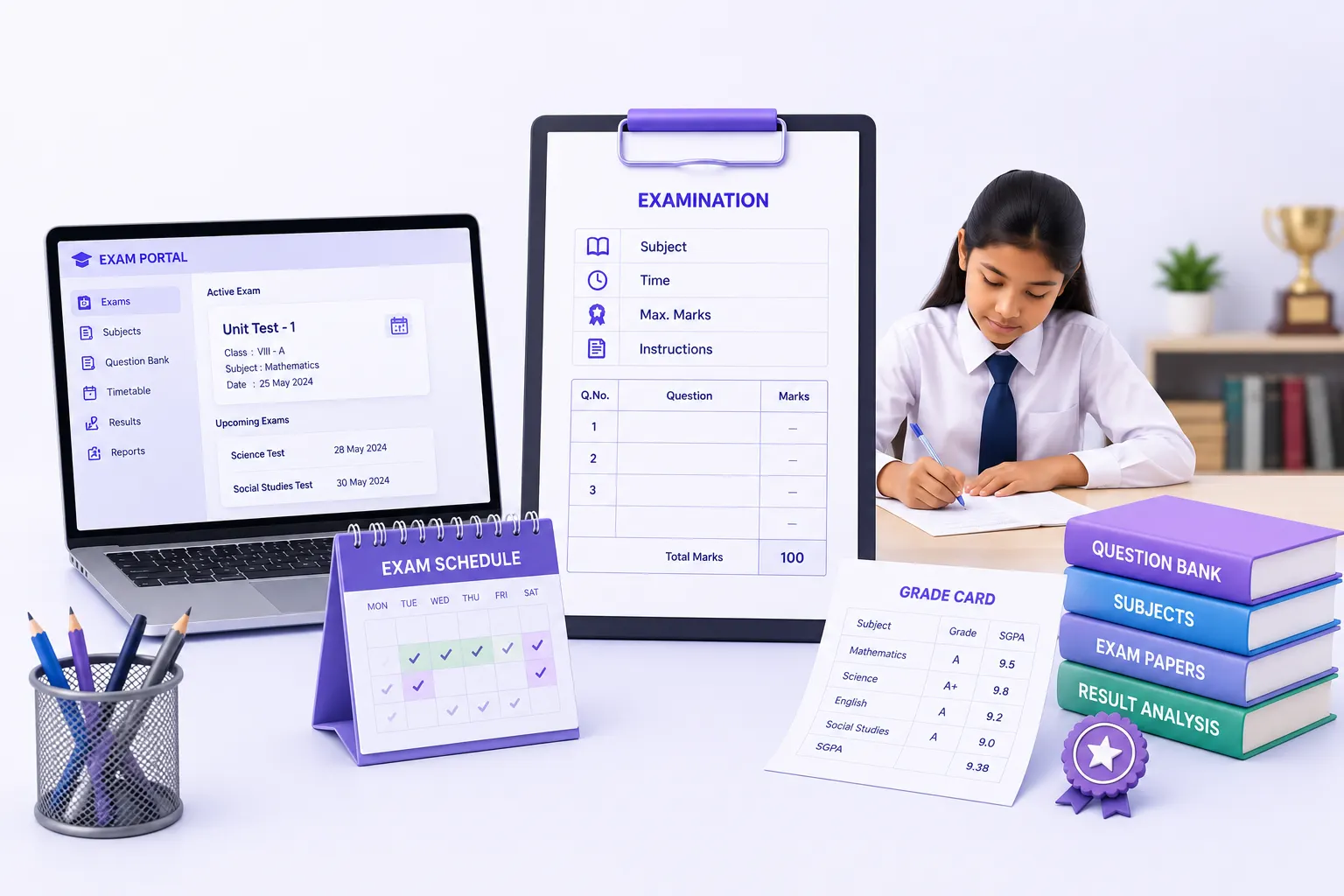
Exam definition, subject & IA configuration, marks entry, grade computation, question bank, timetable & performance cards.
- Subject-to-exam mapping, IA group definition & per-subject configuration
- Batch & individual marks entry with auto-save, faculty-scoped access
- Automatic grade computation, SGPA, CGPA, pass/fail determination & marks lock
- Question bank with subject & topic tagging, exam paper mapping & bulk import
- Exam timetable with clash detection & calendar integration
- Student self-service portal: results, grade card, SGPA/CGPA trend & subject-wise analysis
Overview
What Does Exams & Assessment Management Do?
Exams & Assessment Management gives schools a complete, end-to-end examination platform covering every stage of the assessment cycle. Exams are defined & configured once, subjects mapped, IA groups set, marks limits established. Teachers enter marks through a subject-wise grid with batch entry, individual override, and OR-question support. Grade computation runs automatically from the configured scale. Results, performance cards, and analytics are generated from the same data without re-entry. A question bank with exam paper mapping supports structured paper creation, and timetable management with clash detection completes the examination operations workflow. Students access their results, grade card, and SGPA/CGPA trend through a self-service portal.
Exam Timetable covered in Timetable & Substitution Management
Exam timetable creation, subject-date-time mapping, timetable publish workflow, student and staff timetable view, clash detection, and PDF export are described in detail in the Timetable & Substitution Management feature page.
See: Timetable & Substitution Management →Benefits
How Does it Help Schools?
One Exam Setup Used Across
Exam configuration: subject mapping, IA groups, max marks, pass marks & grade scale; set once at beginning of exam cycle. Downstream steps (marks entry, grade computation, reports, performance cards) draws from same configuration.
Marks Entry Reflects How Schools Actually Work
Teachers enter marks for their assigned subjects only, preventing cross-subject entry. Batch entry handles full class in one session. Individual override handles corrections. OR-question support handles choice-based paper structures.
Marks Lock Cannot Be Bypassed Without a Trace
Once marks are locked by an authorised staff member, they cannot be edited directly. Any change requires an unlock request workflow with documented approval. Every lock, unlock request & edit is logged in the marks audit trail.
Students Access Results Without Querying the Office
The self-service student portal shows each student's semester-wise results, grade card, SGPA/CGPA trend & subject-wise analysis. Printable grade cards available directly from the portal. Eliminating significant volume of routine results queries.
Analytics Show Where the Cohort Struggled
Department-wise result analytics, grade distribution charts, pass/fail rate by subject & class, subject-wise averages, and year-over-year performance comparison give academic coordinators & management a cohort-level view of assessment outcomes.
Key Capabilities
What the Module Delivers
Exam Lifecycle Management
Draft → Open → Closed state machine with transition rules. Exams cannot be deleted once marks are entered.
Subject & IA Configuration
Subject-exam mapping, max & pass marks, IA group defn. with component weightages & formula-based total calcn.
Batch & Individual Marks Entry
Class-wise batch entry & individual override. Faculty-scoped, OR-question support, auto-save & audit log.
Standalone Marks Entry Portal
Faculty-facing marks entry portal for IA and university exams, subject-wise grid, auto-save, submission workflow, and status tracking.
Grade Computation
Weighted marks calculation, configured grade assignment, GPA per subject, SGPA per term, CGPA across terms, pass/fail and overall result.
Marks Lock & Unlock
Authorised lock prevents direct edits. Unlock requires approval workflow. All lock/unlock/edit actions logged immutably.
Question Bank
MCQ, short answer, and essay question types. Difficulty and topic tagging, exam paper mapping, Set A/B management, and bulk import.
Exam Timetable
Subject-date-time mapping, timetable publish workflow, clash detection, student and staff view, PDF export, and calendar integration.
Performance Cards
Printable student performance cards with SGPA/CGPA, consolidated mark sheet, grade distribution, and top performers list.
Student Self-Service Portal
My Results, printable grade card, SGPA/CGPA trend, and subject-wise analysis; accessible within the School ERP without staff intervention.
Analytics
Department-wise results, pass/fail rate by subject and class, subject-wise average and standard deviation, year-over-year comparison.
Who Uses It?
Designed for Every Examination Stakeholder
Exam Controller/Coordinator
- Define exams, configure subjects & IA groups, set the marks entry window
- Monitor marks entry status across subjects & teachers before closing the exam
- Authorise marks lock & review unlock requests with approval
- Generate consolidated mark sheets & department-wise analytics for academic review
Subject Teachers/Faculty
- Enter marks for assigned subjects using batch entry or individual override
- Access the standalone Marks Entry Portal for IA and university exam entry
- Track submission status per subject & submit within configured window
Principal / School Management
- Access grade distribution charts, pass/fail rates & year-over-year comparisons
- Review top performers and rank lists for academic recognition & parent communication
Students
- Access My Results page with semester-wise performance from the School ERP portal
- Download & print grade card directly, without visiting the examination office
- Track SGPA/CGPA trend and subject-wise performance across semesters
Scale
Designed for School Groups
Whether managing examinations for a single school or across a Group of Institutions:
Independent Campus Configuration
Exam configuration consistent across campuses, each configured independently within the same platform.
Built for Large Student Populations
Batch marks entry & bulk operations handle large student populations without per-student workflows.
Faculty-Scoped, Every Campus
Faculty-scoped access ensures teachers see only their assigned subjects regardless of institution size.
Governance Built In
Marks lock & audit trail provide controls appropriate for board-affiliated institutions.
Self-Service at Any Scale
Student self-service portal eliminates results query volume regardless of cohort size.
Configured Once. Entered Once. Auto-Computed & Reported.
See how edumerge's Exams & Assessment Management module gives schools a complete examination lifecycle platform, all built into the School ERP.
Frequently Asked Questions
Common questions about exams and assessment management for schools
How does batch marks entry work for teachers?+
Teachers see a subject-wise grid limited to the subjects they are assigned, so cross-subject entry is not possible. Marks can be entered for a full class in one batch session, with auto-save and individual override available for corrections. OR-question support handles choice-based paper structures during entry.
Once marks are locked, can they still be edited?+
No, marks cannot be edited directly once locked by an authorised staff member. Any correction requires an unlock request that goes through a documented approval workflow. Every lock, unlock request, and edit is recorded in the marks audit trail.
How are SGPA and CGPA calculated?+
Grade computation runs automatically from the grade scale configured for the exam, producing GPA per subject. SGPA is computed per term and CGPA across terms from the same configuration, along with pass/fail and overall result. Because the calculation draws from the exam setup done once at the start of the cycle, results, performance cards, and analytics stay consistent without re-entry.
Can students view their results and download grade cards themselves?+
Yes, students get a self-service portal within the School ERP showing semester-wise results, grade card, SGPA/CGPA trend, and subject-wise analysis. Grade cards can be printed directly from the portal. This removes the need to visit the examination office for routine results queries.
Does the module include a question bank for creating exam papers?+
Yes, the question bank supports MCQ, short answer, and essay question types with difficulty and topic tagging. Questions can be mapped to exam papers, including Set A/B management, and bulk import is supported for adding questions at scale.