School Front Office & ID Cards
Front Office, Certificates & ID Cards for Schools
Student & staff data management, academic year promotion & demotion, ID card+certificate design, bulk generation & issuance.
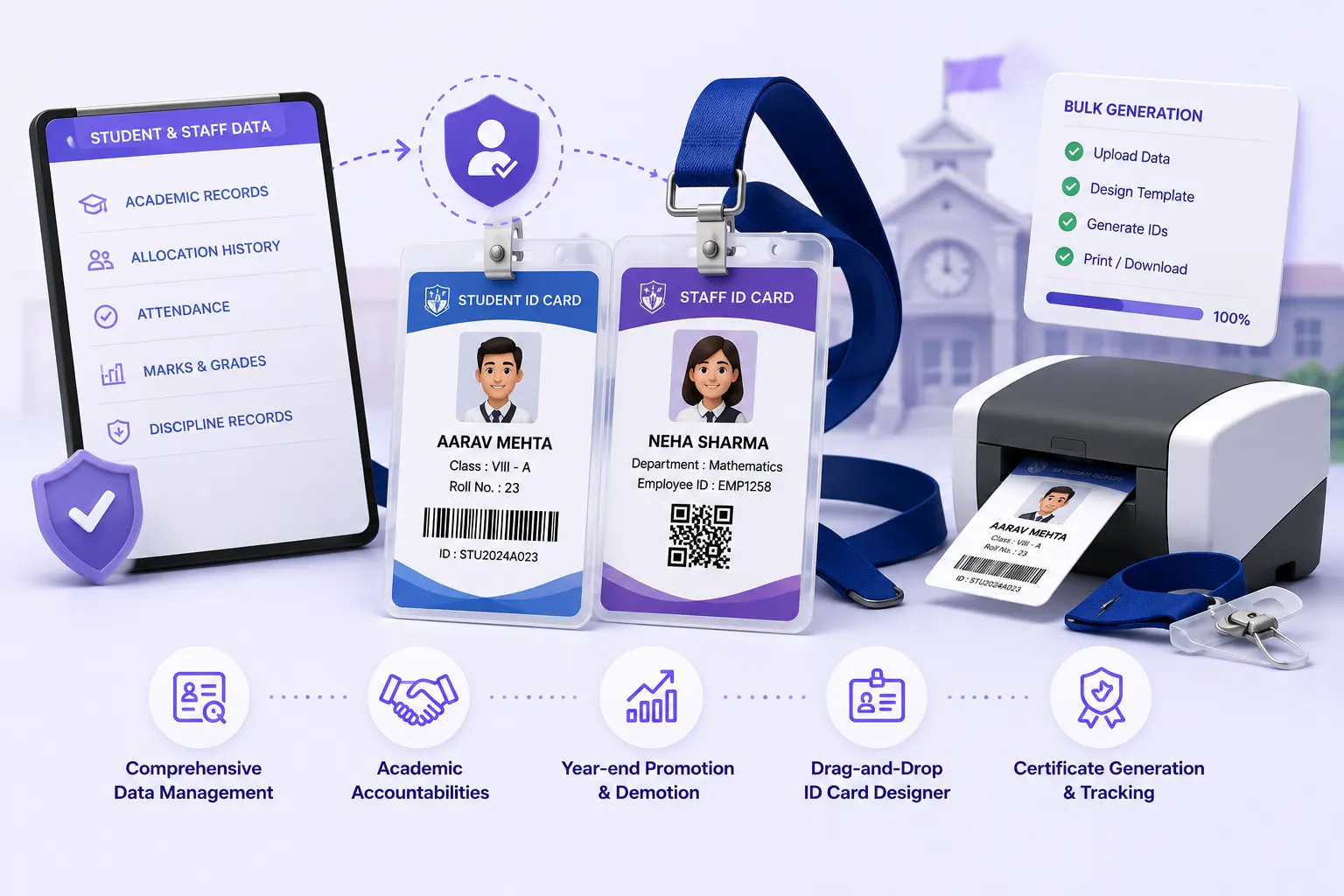
- Complete student & staff records with allocation history, sibling management
- Academic responsibilities & multi-branch support with a full audit log
- Promotion & demotion with validation, reasons, attendance & marks checks
- Drag & drop designer with variable fields, school logo, barcode/QR support
- Bulk generation & tracking per class/department
Overview
What Does Front Office & ID Cards Do?
Front Office & ID Cards gives schools a centralized platform for the operational data management that sits at the heart of every school. Student & staff records are kept current, academic year promotions are accurately & auditably processed, and every student & staff member carries a correctly generated, school-branded ID card.
Visitor & Reception Management (Campus Security & Entry Management) Covered Separately
Visitor Management, Gate Pass Issuance, Late Arrival Logs, Barcode Entry/Exit Scan, and Daily Reception Reports are covered in the Visitor & Reception Management feature page.
See: Visitor & Reception Management →Benefits
How Does it Help Schools?
Student & Staff Records Kept Current With Full History
Student allocation history tracks every class change & transfer. Staff movement history tracks every designation & department change. School Groups get multi-branch support with branch-level filtering.
Promotion Without Annual Scramble
Pre-promotion attendance & marks checks prevent students who do not meet promotion criteria from being promoted in error. Bulk promotion with per-student override & audit log records.
ID Cards Generated in Bulk
Drag & drop ID card template designer allows schools to build its card layout once. School logo, background, field positions, barcode or QR code location. Fastens bulk generation per class or department.
Certificates Tracked
Generated certificates tracked per student & staff. The system knows which certificates have been issued, to whom & when. Best for large volumes of participation or completion certificates.
Key Capabilities
What the Module Delivers
Student & Staff Records
Personal, academic, parent, qualification, and department details per student & staff. Bulk CSV/Excel import with template generation.
Allocation & Movement History
Every class transfer and section change for students; every designation & department change for staff, retained as permanent history.
Sibling Management
Sibling relationships linked in student records. For fee concession application, parent contact management, and family-level reporting.
Academic Responsibilities
Academic responsibilities assigned per staff member: subject teaching, department coordination, committee membership, within the front office record.
Bulk Promotion & Demotion
Class-wise bulk promotion with pre-promotion validation (attendance, marks) and per-student override. Demotion with mandatory reason. Audit log retained.
ID Card Designer
Drag-and-drop visual designer with custom fields, school logo, background image, photo, barcode/QR code. Produces student and staff card templates.
Bulk ID Card Generation
Class-wise or department-wise bulk ID card generation from the configured template, PDF export for batch printing.
Certificate Designer & Generation
Certificate template library with variable field insertion (name, roll no, date, event). Bulk generation per cohort. Generated certificates tracked per recipient.
Barcode/QR Support
Barcode and QR code printed on ID cards are scannable, supporting entry/exit and identity verification workflows across the campus.
Multi-Branch Support
Branch-level filtering across all student, staff, and group management operations; for School Groups managing multiple campuses from one platform.
Who Uses It?
Designed for Every Front Office Stakeholder
Front Office/Admin Staff
- Add & update student & staff records; manage allocation & movement history
- Run bulk promotion at academic year-end; process individual demotions with reason
- Generate & print ID cards in bulk at the start of each academic year
Academic Coordinator/Principal
- Review promotion audit log; approve or investigate demotion decisions
- Access consolidated student & staff records across the school
- Manage academic responsibilities assignment for teaching staff
IT/ERP Admin (School Groups)
- Manage multi-branch records with branch-level filtering from a single login
- Configure CSV import templates for bulk student & staff data onboarding
Scale
Designed for School Groups
Whether managing front office operations for a single school or across a Group of Institutions:
One Platform, Every Campus
Multi-branch support with branch-level filtering manages all campuses from one platform without data mixing.
Built for Large Cohorts
CSV/Excel bulk import handles large cohort onboarding at the start of each academic year.
Bulk ID Cards, Not Per-Student
Bulk ID card generation per class or department handles hundreds of cards without per-student operations.
Governance Built In
Promotion audit log & movement history provides governance records for academic committees.
Records Current. Promotions Accurate.
ID Cards Ready. Every Year.
See how edumerge's Front Office & ID Cards module gives schools a complete operational data management platform built into School ERP.
Frequently Asked Questions
Common questions about front office data, promotions, and ID card generation
Can we design our own ID card layout, or are we stuck with a fixed template?+
The drag and drop ID card designer lets your school build its own layout: logo placement, background image, field positions, and photo, barcode, or QR code location are all configurable. Once the template is set, it is reused for bulk generation across classes or departments, so the design work happens once per academic year.
How does bulk promotion prevent students who have not met the criteria from being promoted by mistake?+
Pre-promotion validation checks attendance and marks against the criteria configured for each class before promotion is applied in bulk. Any student who does not meet the criteria is flagged, and staff can apply a per-student override where justified. Every promotion and demotion, including overrides and reasons, is retained in an audit log.
Does the system track certificates that have already been issued, to avoid duplicate or unrecorded certificates?+
Yes. Generated certificates are tracked per student and staff member, so the system records which certificate was issued, to whom, and when. This is built for schools issuing participation or completion certificates in volume, where manual tracking becomes unreliable.
Can our School Group manage student and staff records across multiple campuses from one login?+
Multi-branch support with branch-level filtering is built into the front office module, so a School Group can manage student and staff records, allocation history, and ID card generation across all its campuses from a single platform without records mixing between branches.
How is sibling information used once it is linked in student records?+
Sibling relationships are linked directly in student records and support fee concession application, parent contact management, and family-level reporting. Front office staff do not need to cross-reference separate records to confirm which students belong to the same family.