School Student Leaves
Student Leave Management for Schools
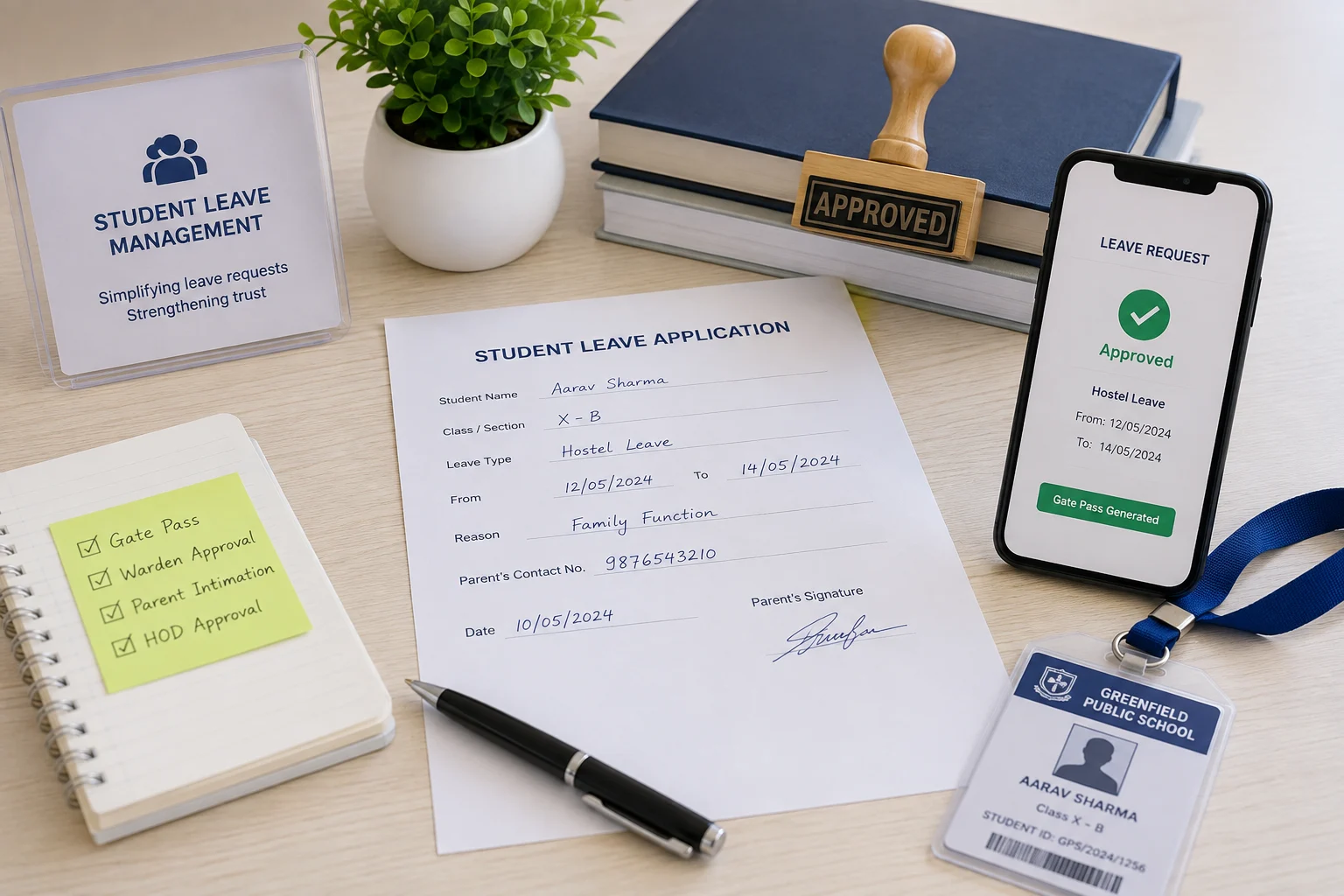
Multi-role leave management with gate pass generation, warden oversight, parent visibility, and multi-level approval chains.
- Students create & track leave requests with real-time status & category separation
- Class teacher & HOD approve through a configurable multi-level chain
- Hostel leave, pending approvals queue & students outside campus tracker
- Parent dashboard for child leave status
- Gate pass verification by scan or manual check
- Institution-wide view with leave type configuration & dept-wise reports
Overview
What Does Student Leave Management Do?
Student Leave Management gives schools a structured, multi-role leave platform covering the full request-to-approval-to-gate-pass cycle. Students raise leave requests from a self-service portal. Requests route through a configurable multi-level approval chain; Class Teacher, HOD, Student Mentor, or custom levels, with REGULAR and HOSTEL leave handled as distinct categories. Hostel wardens have a dedicated portal for hostel-specific leave tracking and a live view of which students are currently outside campus. Parents see their child's leave status and can verify gate passes.
Benefits
How Does it Help Schools?
Leave Requests Auto-Routed Correctly
The configurable approval chain assigns each leave type its own sequence of approvers & categories. When a student submits a request, it auto-routes to the first approver. Notifications are sent via the configured channels (email, SMS, push).
Hostel & Day Leave Handled Separately
Leaves are configured as distinct categories with independent approval chains. Hostel wardens see only hostel-category leaves in their portal. Wardens have a live view of which hostel students have approved leave & are not currently on campus.
Parents Stay Informed in Real-Time
Parent dashboard shows the child's leave balance, pending requests & approved leave status in real time. Leave requests require a parent OTP confirmation before proceeding through the staff approval chain.
Diagnostic Alerts Before Workflow Failures
A class with no assigned teacher, a student with no mentor mapped, or an HOD who has not been configured. Diagnostic alerts surface these gaps to administrators actively.
Key Capabilities
What the Module Delivers
| Capability | What It Delivers |
|---|---|
| Student Self-Service Portal | Leave balance & status dashboard; create requests with reason & dates; My Requests list with status tracking; request detail view with timeline. |
| Configurable Multi-Level Approval Chain | Approval levels defined per leave type: Class Teacher, HOD, Student Mentor, or custom. REGULAR & HOSTEL categories configured independently with their own chains. |
| System Settings | Notification channels (email, SMS, push), auto-approval with max-days threshold, parent OTP approval toggle, allow past-date leave toggle. All configurable without code changes. |
| Diagnostic Alerts | Active flags for classes without assigned teacher or HOD & students without mentor mapping; surfaced to admin before they cause workflow failures. |
| Warden Hostel Portal | Hostel leave tracking dashboard, pending approvals queue, and students currently outside campus tracker; scoped to hostel category leave only. |
| Parent Dashboard | Child leave status visible to parents in real time; with OTP approval participation where configured. |
| Gate Pass Verification | Security staff verify gate passes by scan or manual check; confirming a student's departure is authorised before they leave campus. |
| Admin Institution-Wide View | All requests management, leave type configuration, and department-wise & monthly reports; for administration oversight across the school. |
Every Request Routed.
Every Approval Tracked.
Every Departure Authorised.
See how edumerge's Student Leave Management module gives schools a structured multi-role leave platform, built into the School ERP.
Frequently Asked Questions
Common questions about student leave management software for schools
How does the approval chain decide who approves a student's leave request?+
Each leave type has its own configurable sequence of approvers, such as Class Teacher, HOD, or Student Mentor, with REGULAR and HOSTEL categories routed through independent chains. When a student submits a request, it auto-routes to the first approver in that sequence, and notifications go out via the configured channels: email, SMS, or push.
Can hostel wardens track leave separately from day-scholar leave?+
Yes. Hostel and day leave are configured as distinct categories with their own independent approval chains. Wardens see only hostel-category leaves in their dedicated portal, along with a students currently outside campus tracker showing a live view of which hostel residents have approved leave and are not currently on campus.
Do parents get visibility into their child's leave status?+
Yes. The parent dashboard shows the child's leave balance, pending requests, and approved leave status in real time. Where the parent OTP approval toggle is enabled, a leave request also requires parent OTP confirmation before it proceeds through the staff approval chain.
What happens if a class doesn't have a teacher or mentor configured?+
This is the most common reason leave workflows fail in practice, a setup gap like a class with no assigned teacher, a student with no mentor mapped, or an HOD who hasn't been configured. Diagnostic alerts actively surface these gaps to administrators before they cause a request to stall.
How is a student's departure from campus authorised and verified?+
Once a leave request completes its approval chain, security staff verify the student's gate pass by scan or manual check at the point of departure, confirming the exit is authorised before the student leaves campus.