Most education ERP comparisons start with a feature checklist. But a checklist does not help much when you are choosing between a cloud based ERP and an open source one. The reason is simple: both cover the same basics, such as student records, fees, attendance, exams & reports.
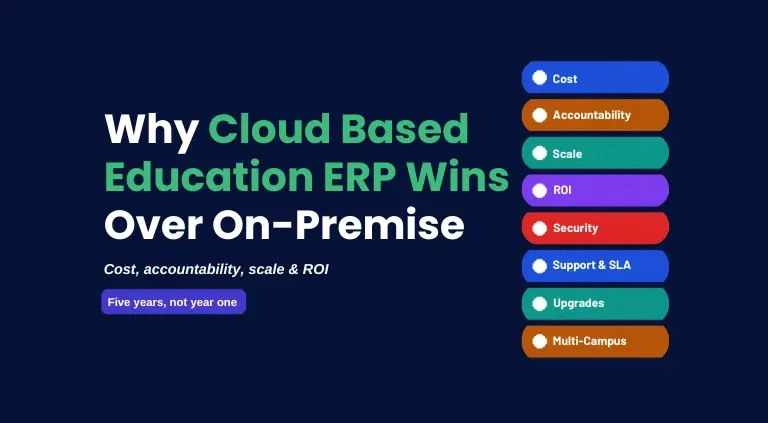
What makes the difference is who runs the system, who pays to keep it running, and who answers when it fails. To see how they differ, ask these 4 questions:
- Control: Who owns the software, the servers & your data, and how much can you change?
- Cost: What will you pay in total once servers, support and upgrades are added to the price?
- Scale: Will it keep working smoothly when you add a 2nd, 5th or 20th campus?
- Return: What do you get back, in time saved, fewer errors and better decisions?
This guide compares edumerge, a cloud based Education ERP, with OpenEduCat, an open source Education ERP, on those 4 questions. It draws on public vendor information and published industry research, rather than estimates or assumptions.
A note on the terms:
- "Cloud based" tells you how the software is delivered: the vendor hosts it and you log in.
- "Open source" tells you how it is licensed: the code is public and anyone can use and change it.
In practice, the choice is between two ways of running your ERP. Either the vendor runs it for you from start to finish, or you set it up and run it yourselves.
What is a SaaS/Cloud Based Education ERP?
A SaaS or cloud based Education ERP is hosted by a vendor who secures & maintains the software, while the institution uses it through a browser or mobile app. It brings every key operation of an institution, from admissions & academics to attendance, examinations, fees, HR and finance, into one connected system.
The institution does not need to buy servers or schedule patches. The vendor takes care of the entire infrastructure: hosting, backups, security, updates and uptime.
If something goes wrong, the vendor is also the single point of contact, because the vendor owns the whole platform and is responsible for fixing it.
Products designed for education from the grounds-up, such as edumerge, build education's own rules into the core of the platform. Such as timetables, progress cards and fee concessions, so the institution does not have to customize them later to fit how it works.
Where it helps:
- One place for all records: Student, staff and fee records are kept together, so nobody has to enter the same data twice or match figures between separate tools.
- One owner for problems: When something fails, the vendor owns the fix. The institution does not have to work out whether the fault lies with the software, the hosting or a partner.
- Less work for the IT team: The vendor handles hosting, backups and patching, so the IT team does not have to spend time on routine upkeep and can focus on other work.
- A faster start: The institution does not need to buy any hardware or build a server, so it can begin using the platform soon after setup. Moving large amounts of existing data can take longer.
- More predictable spending: Support, upgrades and core integrations are usually included in the subscription, so the price you are quoted is close to what you will actually pay.
Where it limits you:
- A subscription that renews every year: The cost repeats each year instead of being a one-time purchase.
- A limited say over the code: Customisation stays within what the vendor's configuration allows.
- Dependence on the vendor: The vendor sets the roadmap, pricing & support capacity, and switching later is a bigger job.
Read more about a SaaS education ERP vs ERP plugin.
What is an Open Source ERP?
An open source ERP is a software whose source code is published under an open licence. Anyone can read, modify and run it on their own servers, usually without a licence fee.
In education, many open source ERPs sit on a wider framework such as Odoo. The institution, or an implementation partner, installs & configures the software and keeps it running, unless it pays the vendor for managed hosting.
The usual commercial model pairs a free community edition with a paid edition that adds deeper modules, hosting and vendor support.
Where it helps:
- A low entry price: The free edition has no licence fee, and paid editions are usually priced per module or user pack.
- Code you can see: The institution's IT team or developers can check what the software does and extend it.
- Room to move: Because the software can be self-hosted, the institution can change its hosting or its partners without losing the software.
- A say over where data sits: Self-hosting gives the institution control over the location of its data.
- Pay only for what you need: Institutions can start with the core modules and add more as their needs grow.
Where it limits you:
- The institution runs it: Servers, backups, patching and staff time sit with the institution, unless it buys managed hosting.
- Depth sits in the paid edition: Advanced modules are often reserved for a paid edition, so the free one may not cover everything.
- Support varies: The free edition usually relies on community channels, and vendor support is sold separately.
- Shared responsibility: When something fails, the fault can sit with the institution, the host, a partner or the vendor.
- Maintenance never stops: Extensions and customisations need to be tested again after each upgrade.
Read more about the quality of support provided by SaaS education ERPs.
Cloud Based vs Open Source: Key Differences in Control, Cost, Scale and ROI
Open source and cloud based ERPs each win in different places.
- If control is what matters, open source gives more of it: the code, the hosting and the data are yours to shape.
- If you would rather not carry out the day-to-day work, the cloud based model takes it off your plate, from running the servers to answering for faults.
That makes this less a question of which is better and more a question of what matters most to your institution.
1. Control:
- Open source: The institution gets the code, hosting & location of its data. It can inspect what it runs, change it, and move it to another host or partner.
- Cloud based: The control is of a different kind. The vendor holds the code & the servers, and the institution decides how the platform is configured & who can see what.
- The catch: Full control also means owning the upkeep. Patches, backups and fixes become the institution's job.
2. Cost:
- Entry cost: Open source is cheaper to start, because the free edition carries no licence fee. A cloud based platform asks for a larger upfront commitment.
- Running cost: The gap narrows once the system is live. Hosting, patching, developer time and paid modules sit outside an open source headline price, and they repeat as campuses are added.
- Cloud based: Most of those costs are already in the subscription quote. Read about the no hidden cost principle of edumerge.
3. Scale:
- One campus: Both models can do the job.
- More campuses: The differences open up, because each new campus adds more to configure, secure, support and report on.
- Open source: The institution or its partner sets up and maintains campus separation, roles, sign-in & hosting, and arranges group-level reporting.
- Cloud based: A new campus joins the same platform. The vendor handles onboarding, security and support, with consolidated reporting built in where the platform offers it.
Explore the scalability & flexibility of a SaaS education ERP.
4. ROI:
- Open source: It returns the most when the institution has technical staff, core needs and a wish to own its code, because licence cost stays low & control stays high.
- Cloud based: It returns the most through time saved, fee leakage caught and faster reporting. That benefit grows with the number of campuses.
| Factor | Open Source ERP | Cloud Based Education ERP | Better fit |
|---|---|---|---|
| Control: code access | Public code that the institution or its developers can modify | Closed code, configured within what the vendor allows | Open Source |
| Control: hosting and data | Can be self-hosted, with control over data residency | Vendor-managed hosting, with less direct control | Open Source |
| Cost: to start | Free edition with no licence fee; paid edition for deeper functionality | Higher upfront commitment | Open Source |
| Cost: once live | Hosting, backups, patching, developer time and paid modules sit outside the headline | Most of the cost is in the quote | Cloud Based |
| Scale: adding a campus | Campus separation, roles, sign-in and reporting are configured and maintained by the institution or a partner | The campus joins the same platform, with onboarding and group reporting handled by the vendor | Cloud Based |
| Scale: security and support | The institution's IT team or a partner patches and backs up each deployment; community support on the free edition | The vendor manages security and updates, with one support team and one SLA | Cloud Based |
| Accountability when something fails | Spread across the institution, the host, any partner and the vendor | One vendor answers for the whole system | Cloud Based |
Related reading from edumerge: operational cost, and ROI.
Cloud Based Education ERP: edumerge
edumerge is an ERP suite for Indian education, headquartered in Bengaluru, and designed around groups of institutions. School ERP, College ERP, HRMS and Finance & Control share one data layer. Together, they serve 800+ Indian institutions and 500,000+ students.
For groups running several campuses, these products come bundled as edumergeOS, edumerge's flagship suite, which brings them onto a single platform.
edumerge effortlessly scales from a 2-campus school to a 200-campus trust/society, with one onboarding process, one support team and one SLA. It also reports a 96% customer satisfaction rate.
Its governed AI layer, edumerge Govern AI, answers questions about students, staff or finances using only verified, role-scoped data. It also confirms before it acts.
What works well:
- Control through configuration: Role-based access gives each campus its own scope while the group keeps oversight, with an audit trail of every operation.
- Cost closer to the quote: Support, upgrades and core integrations are part of the platform, so the quote sits nearer the real spend.
- Implementation: edumerge reports that most institutions go live within 7 hours of setup, and describes group rollouts as configurable per campus and live in weeks. Moving large amounts of existing data can take longer.
- Built for scale: The Group Institution Operating Model gives the chairman & trustees a consolidated dashboard across campuses, and inter-institution reporting is automated.
- One suite across the group: HRMS runs once for the whole group. While Finance & Control adds procure-to-pay approval chains, budget versus actual across campuses and a trustee dashboard. Alongside the institution's existing accounting.
- Reviews: 4.8 out of 5 on G2, with customers in 50+ cities often citing responsive, India-based support.
What edumerge Customers Report:
- edumerge reports 60% less admin workload and paperwork across its customers.
- A managing trustee running 11 campuses reported that board-meeting preparation, which once took 4 days of manual consolidation, now means opening one screen.
- A CFO at a multi-campus university group reported catching three fee collection gaps in the first quarter that would otherwise have gone unseen.
- A G2 reviewer in operations reported that manual work was reduced by nearly 50%.
What to weigh:
- A higher first commitment: The initial investment is larger than for a free open source download.
- A vendor-hosted service: edumerge hosts the platform, so the institution does not have to host or modify the code themselves.
- Moving away later is harder: Since every module & operation is inter-connected, finding that level of module interoperability is very tough in other platforms. Alternatively framed, the "user stickiness is addictive" as reported by one of our schools.
See edumerge Across Your Campuses
Open Source Education ERP: OpenEduCat
OpenEduCat is an open source Education ERP built on the Odoo framework and founded in 2014. Its 70+ modules cover student information, admissions, fees, attendance, examinations and more. Its core platform is released as open source, and it comes in two editions.
- The Community Edition is free under the LGPL-3 licence, and can be downloaded, modified & self-hosted.
- The Enterprise Edition is a paid subscription, offered on the cloud or self-hosted, that adds vendor support and the deeper modules.
By OpenEduCat's own comparison of 28 functional areas, 6 are fully included in Community, 7 have a basic version and 15 are Enterprise-only.
Its pricing page lists modules from $79 per year each, with user packs from 25 to 10,000+ users on the cloud plan, or unlimited users on-premise for a one-time fee.
What works well:
- Control: Public source code, and a choice of cloud or on-premise deployment. On-premise gives the IT team full control and data residency.
- Cost: The Community Edition has no per-user or per-student licence fees. Enterprise is priced by module and user pack.
- Scale: Multi-campus support is built on Odoo's multi-company model, with separate campus administration and consolidated reporting, according to OpenEduCat.
- One platform on Odoo: Because OpenEduCat is built on Odoo, staff records, payroll, accounting, purchase orders and budgeting are native, and its modules share a single database.
- Return: Modular pricing lets a group add accounting, LMS or hostel management as campuses need them.
- Reach: 3M+ users across 90+ countries and more than 1,000 institutions.
- Reviews: 4.6 out of 5 on G2 across 139 reviews, with reviewers citing time savings, accuracy and low cost.
What to weigh:
- Edition split: OpenEduCat's edition comparison lists campus & multi-location management, plus KPI dashboards, as Enterprise features. While other pages on its site describe multi-campus support in Community.
- Campus separation is configured: OpenEduCat describes record rules tied to campus security groups and, for multi-campus sign-in, federated identity providers. Someone has to design and maintain that as campuses are added.
- Running it yourself on Community: The institution pays for its own servers, backups & staff time, and applies security patches itself when self-hosting.
- Depth sits in the paid edition: The AI suite, LMS, online quizzes, central gradebook with GPA, CBCS & OBE, hostel, transport, alumni and placement are Enterprise-only.
- Group rollouts take planning: OpenEduCat cites 8 to 12 weeks for a multi-campus group on Enterprise cloud onboarding, and 8 to 16 weeks for a phased rollout at larger multi-campus institutions.
- Pricing is quoted in more than one way: OpenEduCat's pages show Enterprise pricing per module and per staff user, so ask for a quote at your expected campus count.
- Indian regulatory formats: Institutions that need them should confirm coverage with the vendor. OBE with CO-PO attainment, for example, is an Enterprise-only module.
Outcomes and ROI: What Each Model Delivers
The return on an education ERP depends less on the quoted price and more on two things over the life of the system:
- What it costs in total as the institution grows.
- What it gives back in time, control and avoided losses.
The Quote vs the Bill: What Research Shows
- Panorama Consulting's annual ERP surveys have found that between 50% and 75% of ERP projects run over their original budget, often because costs were not itemised up front.
- Industry analysts commonly estimate that the true five-year cost of an ERP runs three to four times the initial software quote.
- Licence or subscription fees are usually only 20 to 30% of the total cost. Implementation, data migration, training, integration and customisation make up the rest.
- Hidden items such as integration work and productivity lost during transition often add 30 to 50% to the visible budget.
For an open source ERP, the visible cost can be a zero licence fee. But several costs never appear in that number. Most of them repeat for every campus added.
For edumerge, most of the cost sits in the quote.
A Simple Way to Work Out Your Own Return
You can estimate the return on either option in 5 steps, using your own numbers. Compare both over the same 5-year period, and repeat the calculation twice: once for today's campus count, and once for the number you expect to have in 5 years.
- Step 1. List the manual tasks the system would replace. Such as re-keying, reconciliation & report consolidation, and multiplying the hours by your hourly staff cost.
- Step 2. Estimate the fee leakage the system could recover, from late collections, missed concessions and reconciliation gaps.
- Step 3. Add the costs you would avoid, such as servers, patching and tools that can be retired.
- Step 4. Total the 5-year cost of each option. For open source, include any Enterprise subscription, hosting, backups, security maintenance and IT or developer time. For edumerge, just include the subscription.
- Step 5. Return equals benefits minus cost, divided by cost. Compare the two results side by side.
Test the Numbers in a Live Demo
What to Choose
edumerge and OpenEduCat solve the same problem in different ways, and the right one depends on how many campuses you run and how much of the running you want to own.
Choose edumerge when:
- You run several campuses: You operate, or plan to operate, more than one campus as a group, trust or society.
- Leadership needs a live view: Trustees or the chancellor need a consolidated, real-time view of every campus, without compiling reports by hand at the end of each month.
- Campuses need independence with oversight: Each campus should run on its own, while the group keeps oversight through role-based access and an audit trail.
- You want one point of contact: One vendor, one onboarding process, one support team and one SLA cover the whole group.
- You do not want to run the system: Your IT team should not have to host, patch and back up the platform as campuses are added.
- Accreditation matters: You want NAAC, NBA and OBE workflows built into the platform, not assembled from separate modules.
Choose OpenEduCat, or another open source ERP, when:
- You can run it yourselves: You manage one campus or a small group, and have in-house Odoo or Python expertise, or a partner who can run the system for you.
- Control matters most: Open source licensing, source-code access and control over hosting or data residency matter more to you than a single bundled price.
- The free edition covers your needs: Core needs such as student records, admissions, fees and library are part of the free edition.
- You are ready to configure: You are comfortable setting up campus separation, roles & hosting yourself, and adding paid modules as your needs grow.
- Cost to start comes first: At this stage, a free way in matters more to you than a fully inclusive, single-vendor arrangement.
Five Questions to Ask Before You Sign
- Which edition includes campus management and group-level dashboards, and is that in writing?
- Who patches, backs up and monitors the system once we reach our expected number of campuses?
- How long does it take to add a campus, and who does the work?
- What is the total five-year cost at our expected campus count, including hosting, modules, users and support?
- Who do we call when fee collection fails on admission day, and how fast do they respond?
Frequently Asked Questions (FAQs)
1. What is the main difference between edumerge and OpenEduCat?
edumerge is a cloud based Education ERP run by one vendor. Covering School ERP, College ERP, HRMS and Finance & Control on one data layer. OpenEduCat is an open source Education ERP built on the Odoo framework. Here, the institution or a partner installs, hosts and extends the code unless it buys a managed plan, and deeper functionality sits in a paid Enterprise Edition.
2. Is an open source ERP really free?
The OpenEduCat Community Edition is free to download, modify & self-host, with no per-user or per-student licence fees. The institution still pays for servers, backups & staff time, and functions such as the AI suite, LMS, gradebook, hostel & transport need the paid Enterprise Edition, priced from $79 per module per year.
3. Are cloud based and open source opposites?
No. Cloud based describes how software is delivered, and open source describes how it is licensed. OpenEduCat, for example, is open source and also offers a managed cloud plan. The practical choice is between a vendor-run platform with one point of accountability, and a code-open platform that gives the institution more control and more responsibility.
4. Can an open source ERP run multiple campuses, and how many can each product handle?
Yes, in principle. OpenEduCat says its multi-campus mode runs groups of 5 to 50+ schools from one install, using Odoo's multi-company model with consolidated reporting, and its multi-campus LMS page cites 3 to 40+ campuses per deployment. Its edition comparison lists campus & multi-location management and KPI dashboards as Enterprise features, so a group should confirm which edition covers what. edumerge states that it scales from a 2-campus trust to a 200-campus network and manages 50+ campuses simultaneously.
5. Who is responsible for security in each setup?
With a cloud based Education ERP such as edumerge, the vendor manages infrastructure, security and updates. With a self-hosted open source ERP, the institution's IT team or partner applies updates and maintains the servers. OpenEduCat's managed cloud plan includes updates, backups and security patches, while its on-premise option puts those tasks on the institution.
6. How long does a rollout take?
OpenEduCat cites 8 to 12 weeks for a multi-campus group on Enterprise cloud onboarding, and 8 to 16 weeks for a phased rollout at larger multi-campus institutions. edumerge reports most institutions live within 7 hours of setup and describes group rollouts as configurable per campus and live in weeks. Data migration can extend either timeline.
7. What do independent reviews say about each product?
edumerge holds a 4.8 out of 5 rating on G2. OpenEduCat displays a 4.5 out of 5 rating from G2 on its website. Make sure to check the current ratings directly on the review platform.