A trust running 4 schools and 2 colleges often ends up with 6 logins, 6 fee ledgers, and 6 HR systems. There's usually a spreadsheet at the group office too, trying to make sense of it all. This is exactly the fragmentation problem.
"Unified" has one specific meaning here. Every campus, school, college or university, runs on a single shared database. A change at one campus reflects everywhere instantly. A trustee at the group office sees the same numbers a finance head sees at the campus.
Point solutions solve one problem and create three more downstream.
- A fee tool that doesn't know payroll.
- A student system with no view of the budget.
- Trusts scaling past 2-3 institutions pay for this twice: once in licensing, again in manual reconciliation.
This is why a unified ERP for educational trusts needs to enforce policy and consolidate financials automatically, something a single-campus ERP was never built to do.
TL;DR
Trusts running separate ERPs per campus end up with fragmented data, delayed reporting, and policies that drift apart. Problems tend to be invisible at one campus but costly once leadership tries to see the group as a whole.
A unified ERP puts every campus on one shared database. So group office numbers match what a campus finance head sees, in real time rather than weeks later.
Trustees should evaluate platforms against a ten-point checklist. It should cover data architecture, consolidated reporting, trust accounting, HRMS, campus autonomy, and approval controls. Rather than a feature-by-feature comparison.
Among the top 11 compared, edumergeOS is the only platform built from the ground up as an operating system for groups of institutions. Unifying School ERP, College ERP, HRMS, and Finance & Control with a GOI Command Center for real-time trustee visibility.
Key Challenges Trusts Face Managing Multiple Institutions Without a Unified System
Trusts that run each campus on its own ERP, or on a mix of ERPs and spreadsheets, tend to run into the same set of problems as they add institutions. None of these are visible at one campus. They only appear once leadership tries to see the group as a whole.
1. Fragmented data across campuses: Student, staff & financial records live in different systems that do not talk to each other. So no single view of the group exists anywhere.
Effect on operations: Every group-level question needs manual reconciliation across systems before anyone can answer it. And the answer is often already out of date by the time it is compiled.
2. Delayed consolidated reporting: A trustee asking for this month's group-wide fee collection has to wait for every campus to compile and send its own numbers. Often 2-3 weeks after the fact.
Effect on operations: Trustees & CFOs make budget, expansion & staffing decisions on numbers that are weeks old. Not on the group's actual current position.
3. Duplicate manual work across campuses: The same student or staff record gets entered separately into the school system, the HR tool & the accounting software. With no shared source of truth.
Effect on operations: Every re-entry point is a chance for error & campus staff lose hours each month tracing & correcting mismatches between systems instead of doing their actual jobs.
4. Lack of trust-level visibility: Simple questions, such as how many students are enrolled across the group today, cannot be answered without a round of calls to each campus coordinator.
Effect on trust operations: Leadership ends up managing by asking rather than by seeing, which slows down every decision that touches more than one campus.
5. Inconsistent policy enforcement: Fee structures, approval limits and HR policy drift apart between campuses because there is no single system enforcing the group's standards.
Effect on trust operations: Small variances go unnoticed for years until an audit, a new trustee, or a funding round forces a reconciliation that takes far longer than preventing the drift would have.
Explore the challenges of running multiple institutions under one trust with guidelines to fix them.
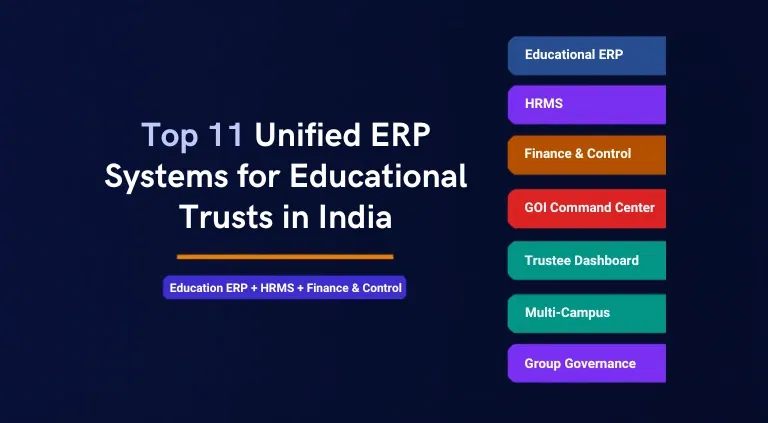
Comparing Top 11 Unified ERP Systems for Educational Trusts in India
1. edumerge
Unified operating system for groups of institutions. Covering School ERP, College ERP, HRMS, Finance & Control, and a Governed AI layer on one platform. Together, you get edumergeOS; a unification of all these products for multi-campus and group institutions. Enabling every operation, function & workflow on one platform.
Key strengths:
- Each suite (School ERP, College ERP, HRMS, Finance) is built as a focused product.
- GOI Command Center gives trustees and management a single, real-time view across every institution in the group.
- Finance & Control Suite covers S2S workflow, approval chain, Budget vs Actual, and Trustee dashboard, giving governance & control.
- HRMS Suite unifies people operations across institutions in a group, useful where staff move between schools, colleges, or departments under one trust.
- School ERP and College ERP is built for schools, colleges & universities, respecting how differently those institution types actually operate.
- AI is controlled by design, answering only from verified platform data and requiring confirmation before it acts, rather than an open-ended chatbot bolted on top of the ERP.
- Single vendor relationship for a trust running multiple institution types, replacing the fragmented stack of separate tools.
- Built specifically for Indian education governance, compliance, and trustee reporting needs, rather than adapted from a generic global ERP.
2. Mastersoft ERP Solution
One of India's longest-running education ERP providers, serving a broad base of institutions across schools, colleges, and universities.
Key strengths:
- Covers admissions, enrollment, accounts, and examinations on one integrated platform.
- Strong biometric and RFID attendance tooling, reducing proxy attendance and manual tracking.
What to note:
- Breadth across many modules can mean shallower depth per module versus specialists.
- UX and modernization lag newer AI-native platforms.
Explore the full edumerge vs. MasterSoft comparison to see how the two platforms compare across key trust-wide operations.
3. Camu (Campus Management Suite)
Unified platform connecting administrators and students for daily campus interactions, positioned mainly for higher education.
Key strengths:
- Strong CRM-to-ERP continuity, tracking a student from admissions leads through to alumni status.
- Mobile-first design supports day-to-day student & staff engagement, not just back-office administration.
What to note:
- Higher-ed focus means weaker fit for K-12 heavy trusts.
- Less proven at true multi-institution trust scale.
Read the full comparison of edumerge vs Camu on how the two platforms stack up on campus management.
4. Entab
Long-standing school ERP and website/app provider focused on K-12 institutions in India.
Key strengths:
- Strong parent-communication tools, bundling app, SMS, and website into one package.
- Wide penetration across K-12 schools, giving it a proven track record at that tier.
- Simple to deploy and operate for a standalone school without heavy IT support.
What to note:
- Built around single-school operations, not designed as a trust-wide unified system.
- Finance and HR depth is limited compared to dedicated suites.
You might also like our comparison on edumerge School ERP vs Entab School ERP.
5. PowerSchool
US-origin K-12 student information system with a presence in premium Indian private schools.
Key strengths:
- Mature, globally proven SIS core refined over decades across many countries.
- Strong underlying data model, supporting detailed reporting and analytics.
What to note:
- Priced and built for single-school SIS use cases.
- Indian localization (fee structures, compliance, regional boards) and trust-level consolidation are not its core strength.
6. Digiicampus
Cloud-based higher education ERP covering admissions, academics, and administration for colleges and universities.
Key strengths:
- Solid academic workflow coverage, including exams, curriculum, and attendance
- Cloud-based delivery reduces on-premise IT burden for colleges.
- Reasonable pricing positioning for mid-size colleges compared to larger enterprise players.
What to note:
- Primarily single-campus oriented.
- Limited evidence of strong multi-institution or trust-level financial consolidation.
7. Next Education
K-12 focused edtech and school ERP provider bundling curriculum content with administrative software.
Key strengths:
- Differentiated bundling of learning content and assessments alongside the ERP.
- Strong reach in tier 2 and tier 3 city private schools.
- Content plus software combination can simplify vendor management for smaller schools.
What to note:
- Content-led positioning means ERP depth (finance, HR) is secondary.
- Not built for GOI-level trust operations.
8. Contineo
Higher education ERP with modules spanning admissions, academics, examinations, and hostel and finance management for colleges and universities.
Key strengths:
- End-to-end higher-ed coverage spanning academic and administrative functions in one suite.
- Used by several autonomous colleges and universities.
- Hostel and finance modules add operational breadth beyond pure academics.
What to note:
- Smaller market visibility than Mastersoft or Camu.
- Less documented track record at trust or group scale.
9. Heraizen (DHI ERP)
Education-focused ERP provider offering student management tools for schools and colleges.
Key strengths:
- Focused, lighter-weight ERP suited to institutions that want core student management.
- Simpler implementation path for smaller institutions with limited IT resources.
What to note:
- Smaller scale and narrower module depth.
- Less suited to trusts wanting one system across finance, HR, and academics.
10. MyClassboard
School-focused ERP covering the core administrative and academic workflows K-12 schools run day to day, from admissions through daily operations.
Key strengths:
- Deep K-12 workflow coverage across attendance, fees, exams, and communication.
- Mobile app support for parent communication and updates on attendance, fees, and academic progress.
- Reasonable pricing positioning for standalone schools not looking for a full enterprise suite.
What to note:
- Built around individual, standalone schools rather than a multi-institution trust structure.
- Lacks the group-level consolidation, HRMS, and finance depth a GOI running multiple schools or colleges would need.
11. LEAD Group School ERP
School-focused ERP bundled with curriculum and school-network services, built for private schools operating under the LEAD affiliate model.
Key strengths:
- Deep K-12 workflow coverage across attendance, fees, exams, and parent communication.
- Curriculum and academic content bundled directly with the ERP.
What to note:
- Built around individual schools operating within the LEAD-affiliated network rather than independent multi-institution trusts.
- Less relevant for GOIs running colleges or universities alongside schools, or for trusts that want to operate outside the LEAD franchise model.
You might also like to read about the best ERP for Indian group institutions.
What Trustees and CXOs Should Evaluate Before Choosing an ERP
Before comparing feature lists or sitting through vendor demos, trustees & CXOs at a group of institutions should run every shortlisted platform through the same 10 questions. These criteria separate a genuinely unified ERP for educational trusts from a set of point solutions marketed together.
| Evaluation Criteria | What to Look For |
|---|---|
| Single data architecture | Does every campus run on one database, or does the vendor sync separate databases overnight? |
| Group-level consolidated reporting | Can a trustee pull a group-wide number today, or does it require each campus to submit a report first? |
| Multi-entity trust and society accounting | Does the finance module understand a trust or society structure with multiple legal entities, not just one school's books? |
| Group-wide HRMS with inter-campus transfers | Can a staff member move between campuses within the group without re-entering their entire employment record? |
| Role-based dashboards for trustees and CXOs | Does the trustee see a governance view, while the finance head sees a working finance view, from the same platform? |
| Campus-level operational autonomy | Can a principal still run day-to-day academic operations independently, without every decision routing through the group office? |
| Budget vs Actual tracking across entities | Can spend be tracked against the approved budget for every campus, in real time, not at month end? |
| New campus onboarding speed | When the trust adds a campus, does it take hours using group templates, or weeks of fresh configuration? |
| Approval chains and financial controls | Are procurement and expense approvals enforced digitally, with a visible audit trail across campuses? |
| Role-based access and data security | Is access scoped by role and campus, so sensitive data stays with the people who need it? |
Where edumergeOS Fits: An Operating System Built for Groups of Institutions
edumergeOS is built as an operating system for groups of educational institutions, not as a single-campus product with extra logins bolted on. It brings School ERP, College ERP, HRMS, and Finance & Control onto one data layer, so every campus a trust operates, reads from & writes to the same underlying system.
The table below breaks down what each core module covers, and how the GOI Command Center sits on top of Finance & Control as the consolidated governance layer trustees interact with directly.
| Module | What It Covers |
|---|---|
| Education ERP (School ERP + College ERP) | Full student lifecycle from admission to alumni, including attendance, exams, fee collection and parent communication, run consistently across every campus in the group. |
| HRMS | Staff lifecycle from onboarding to retirement, including payroll, attendance, leave and compliance filing, with inter-campus transfers handled within the same system rather than as a re-entry exercise. |
| Finance & Control | Society-to-School fund flow tracking, a multi-level approval chain, Budget vs Actual tracking across every entity, and a live trustee dashboard, the four pillars of financial governance for a group. |
| edumerge Govern (AI) | The governed AI layer sitting across the group's data. Trustees and CXOs can ask a question about students, staff, or finances and get an answer drawn from verified platform data. Scoped to their role, cited, and logged, with every action confirmed before it executes. |
| edumergeOS | The operating system brings Education ERP, HRMS, Finance & Control, and Govern together on one data layer. So a group runs as a single system across every campus rather than as four separate products asked to work together. |
Discover our guide on how multi-campus institutions scale operations without letting complexity slow them down.
Conclusion
Choosing among unified ERP systems for educational trusts in India comes down to one question. "Does the platform genuinely run every campus on one data layer, or does it bundle separate tools under one login and call it unified?"
Trusts that run this evaluation properly at the outset, using a clear checklist rather than a feature comparison, avoid years of reconciliation work later.
edumergeOS was built specifically for this decision. It gives trustees & CXOs one operating system for the group. School ERP, College ERP, HRMS and Finance & Control together work as one, instead of several disconnected products. For a trust weighing its options, that difference is the one worth evaluating first.
Frequently Asked Questions (FAQs)
1. Can a unified ERP handle both schools and colleges under one trust?
Yes, if the platform is built as a group operating system rather than a single-institution product. It can run K-12 schools and colleges within the same trust on one data layer.
2. How is a group ERP different from a single-school ERP?
A single-school ERP is scoped to one campus. A group ERP for educational trusts adds trust-level consolidation, group-wide policy enforcement and a trustee dashboard across every institution in the portfolio.
3. How long does it take to onboard a new campus onto a unified ERP?
With group templates that replicate fee structures, approval chains and academic calendars automatically, a new campus can go live the same day rather than after weeks of manual setup.
4. Does a unified ERP replace an institution's existing accounting stack?
Finance & Control modules are designed for institutional financial governance, such as fund flow tracking, approvals, Budget vs Actual and trustee dashboards, so they complement rather than duplicate day-to-day bookkeeping tools.
5. Who should be involved in evaluating an ERP for a group of institutions?
Trustees, chairpersons, finance heads and IT heads should evaluate together, since the platform affects governance, day-to-day finance operations and technical implementation at the same time.
6. Is a unified ERP for educational trusts cloud-based?
Most modern unified ERP platforms for educational trusts, including edumergeOS, are cloud-based, which removes the need for on-premise servers at every campus.
7. What is the biggest risk of using separate point solutions instead of a unified ERP?
The biggest risk is delayed and inconsistent consolidated reporting, since trustees end up waiting for each campus to compile its own numbers before a group-wide picture can be assembled.
8. How does role-based access work in a unified ERP?
Role-based access ensures a principal sees their campus, a finance head sees financial data relevant to their scope, and a trustee sees the consolidated group view, all from the same platform.