A buyer's guide for trustees, principals & IT heads weighing a cloud based education ERP against an on-premise one, with a 5-year cost worksheet.
An on-premise education ERP is easy to say yes to. It meets every reason a buyer might want:
- the data sits in the institution's own server room,
- the licence is often bought once, and
- the first year feels under control.
The difference shows up only after go-live. Someone has to host the system, secure it, back it up, upgrade it and answer for it when it fails. Also with an on-premise system, that responsibility falls to the institution itself, or to a partner it pays.
For one campus with a strong IT team & strict control needs, that trade can be worth it. But for an institution that wants predictable cost, one vendor accountable & room to add campuses, a SaaS/cloud based education ERP is the stronger choice.
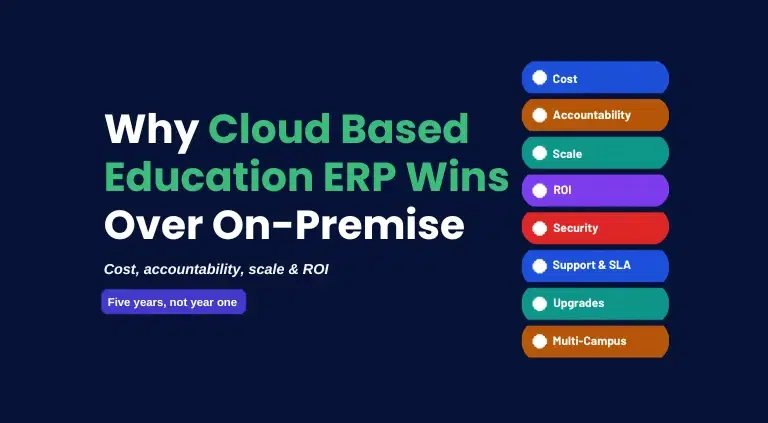
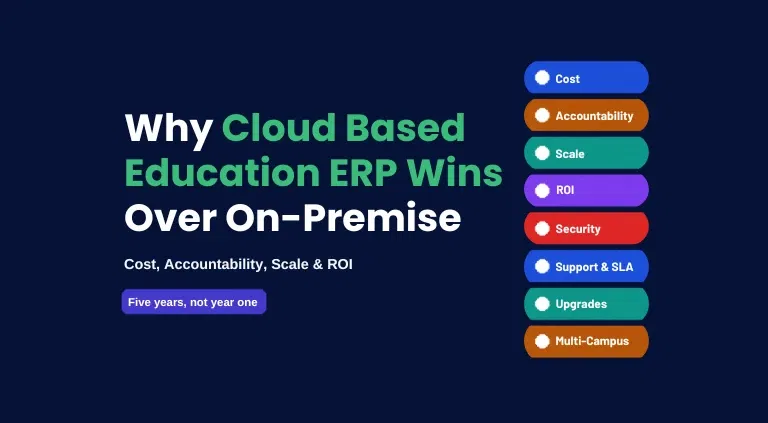
This guide shows why cloud wins and how to compare the 5-year cost before you sign.
TL;DR
An on-premise education ERP looks like the safe choice at first. The licence is often bought once, and the servers sit on campus.
Over 5 years, though, the institution also pays for servers, power, backups, security, upgrades, IT staff & annual maintenance. It is also the one answering when something fails.
That gets harder with every campus added.
A cloud based ERP such as edumerge puts most of that work & cost with the vendor itself. For most institutions and groups, that makes it the stronger choice.
What is a SaaS/Cloud Based Education ERP?
A cloud based education ERP is software run by the vendor for you. Staff, parents & students open it in a browser or mobile app, and the institution pays a subscription instead of buying servers and building the system.
In practice, the vendor takes care of hosting, security patches, backups, updates and uptime. When something fails, there is one number to call, and it belongs to the vendor.
Platforms built for education from the start, like edumerge, also come with admission, timetable, exam and fee structures that institutions already use, so there is less to build before the first term starts.
Furthermore, this convenience has a price. The subscription renews every year, the institution has less say over the code, and it relies on the vendor for the roadmap, pricing and support.
What is an On-Premise Education ERP?
An on-premise education ERP is software that the institution buys or licenses & runs on its own servers, in its own server room or data centre. The institution, or an implementation partner, installs it, secures it, backs it up and upgrades it.
Also the usual commercial model is a licence, often bought once, plus an annual maintenance contract (AMC) for support & updates. The institution also has to buy the servers, storage and network equipment that the software runs on.
In return for the control, the institution carries the hosting, security & the upkeep, and the work never switches off.
You might also like to read about SaaS/cloud-based vs open-source education ERPs.
Why Cloud Beats On-Premise: 5 Key Areas That Decide It
A feature list shows what the software does. These 5 areas show what it takes to run, and each ends with a check to make before you buy.
1. Five-Year Cost, Not Entry Price
An on-premise licence is often bought once, and that is where the simplicity ends. Servers, storage, power, cooling, backups, recovery, security tools, IT staff time, annual maintenance fees and upgrade projects are not included in that price. And most of them repeat for every campus you add.
Whereas a cloud subscription works differently. It bundles most of those costs into one line, so the quote sits close to the real spend.
Similarly, support and upgrades are typically included in the SaaS model. So adding a campus does not mean buying more servers. As a result, the cost grows in a more predictable way. And a finance team can budget it as one recurring item, rather than a series of separate bills.
Check before you buy: what the licence leaves out, and what the subscription does not cover.
2. Accountability When Something Fails
With an on-premise ERP, a failure can sit in several places. It might be the institution's servers, the network, an implementation partner, the maintenance contract or the software itself.
Until the institution finds out which one, nothing gets fixed. Meanwhile, fees, admissions and attendance wait.
With a cloud based ERP, one vendor owns the whole platform. It answers for the platform under a single support arrangement with one SLA. Nobody has to trace the fault or pass the problem between parties. The vendor that runs the platform is the vendor that fixes it.
That matters most on the busiest days, such as admission, fee collection and result days. On those days, every hour of delay costs the institution money and trust.
3. Security and Data Protection Under the DPDP Act
Keeping data on your own server does not make it safe by default. A system stays safe only when these 4 tasks are done regularly:
- Fixing security gaps. Software is updated whenever a weakness is found.
- Scrambling the data. Student and fee records are encrypted, so an outsider cannot read them even if they get hold of them.
- Limiting who can see what. A teacher sees marks, and the accounts team sees fees, but not the other way round. Read more about role-based access with audit trail on edumerge.
- Keeping a record. The system logs who opened or changed what, so problems can be traced.
With an on-premise system, the institution carries out all 4 tasks itself. Its own team does the work, or a partner it hires, and the servers have to be kept up to date as well. The work never stops.
In India, doing these tasks well is now a legal matter too. The DPDP Act makes the organisation that decides how personal data is used, responsible for protecting it. Alongside this, the penalty for failing to put reasonable safeguards in place against a data breach can reach up to Rs. 250 crore.
The Act also requires verifiable parental consent before a child's data is processed. The Rules, however, exempt educational institutions where the processing is needed for educational activities and the safety of enrolled children. They were notified in November 2025, and full compliance is expected by May 2027.
That responsibility stays with the institution under either model. What changes is who does the day-to-day work.
With a cloud based ERP, the vendor runs the security controls. The institution should ask for that promise in writing, along with a data processing agreement. This is a signed contract that spells out how the vendor must protect the institution's data.
Check before you buy: Whether data is encrypted when stored & when sent, who can see what (role-based access), two-factor sign-in, a record of who accessed or changed data (audit logs), what the vendor does after a breach, where the data is hosted, and a signed data processing agreement.
4. Scale Across Campuses
On one campus, both models can do the job. As campuses are added, the gap opens, because each new campus adds more to set up, secure, support and report on.
With on-premise, that growing workload lands on the institution. Its team or partner sets up the network links, VPN access, roles & sign-in for every new campus, and builds the group-level reporting.
Similarly, connecting several campuses to one server also takes more equipment and more capacity, so growth costs money as well as work.
With a cloud platform built for groups, a new campus simply joins the same system. The vendor handles onboarding, security, support and leadership sees the new campus in the same dashboards from the start. The vendor also absorbs the extra work, so each added campus adds far less to the IT team's workload.
Check before you buy: how long it takes to add a campus, who does the work, and whether group dashboards are included from the start.
Read more about the scalability & flexibility of a SaaS Education ERP.
5. Upgrades, Support and Speed to Go Live
With on-premise, every upgrade is a small project. Each one needs planning, testing and downtime. This includes customisations that require to be tested again before the upgrade goes live.
So upgrades are easy to postpone, and an old version keeps its old security gaps. Also, support depends on the terms of the maintenance contract.
Getting started takes work too. Before the first user logs in, someone has to buy & set up the servers, install & configure the system and plan the multi-campus rollout. With on-premise, that work falls to the institution or its partner, and it is done manually, campus by campus.
In the cloud, none of that sits with the institution. The vendor releases updates to every customer together, so new features and security fixes arrive without a project. Also, support usually comes with the subscription, and because there is no server to build, the institution can begin configuring the platform for its campuses sooner.
Check before you buy: how upgrades are tested, how much downtime an upgrade needs, what the maintenance contract covers, and a timeline for your campus count.
You might also like to read about SaaS/cloud-based vs ERP plugins.
What Each Model Asks of the Institution
| Factor | On-Premise ERP | Cloud Based Education ERP | What it means for the institution |
|---|---|---|---|
| Accountability | Spread across the institution, the network, any partner and the vendor | One vendor answers for the whole system | One place to go when something fails |
| Security work | The institution patches, encrypts, monitors and keeps logs on its own servers | The vendor runs the controls; the institution reviews the evidence | The duty stays with the institution, but not the daily work |
| Adding a campus | More servers or network links, plus roles, sign-in & configuration, handled by the institution or a partner | The campus joins the same platform | Setup is the vendor's rollout, not the institution's project |
| Control and connectivity | Full control of where data sits, and core functions can run on the campus network if the internet fails | Hosting is set by the vendor and the contract, and every campus needs a reliable connection | More control with on-premise, and more to run |
SaaS takes the work off the institution in 3 of these 4 rows. On-premise keeps more control of where data sits and can keep running without the internet.
Also explore the implementation possibilities of a SaaS Education ERP.
Five-Year Cost and ROI: Why Cloud Pulls Ahead Over Time
A licence bought once looks like a fixed cost. It is not the whole cost.
Over 5 years, servers, power, backups, security, IT time, maintenance contracts and upgrade projects add up. So most of them repeat for every campus you add.
Whereas a cloud subscription mostly includes them. The licence renewal is the only line where on-premise leads.
Fill in the worksheet below for each vendor, once for today's campus count & once for the count you expect in Year 5.
| Cost line | On-premise ERP | Cloud based ERP | Better fit |
|---|---|---|---|
| Year one: licence or subscription | Licence, often bought once, plus servers, network equipment and set-up | Subscription from the first month, with no hardware to buy | Cloud Based |
| Running costs after year one | Mostly paid by the institution | Mostly included in the subscription | Cloud Based |
| Licence renewal | No subscription to renew once the licence is bought, though maintenance contracts usually continue | Subscription renews every year | On-Premise |
| Hosting | Servers, storage, power, cooling and space, bought and housed by the institution | Included in the service | Cloud Based |
| Security and backups | Patching, monitoring, backups, an off-site copy and recovery testing by the institution or a partner | Run by the vendor under an SLA; confirm what is included | Cloud Based |
| IT staff time | Admin and engineering time for upkeep and incidents | Reduced to configuration and user support | Cloud Based |
| Implementation and migration | Installation, configuration and data migration | Configuration and data migration | Similar |
| Maintenance and support | Annual maintenance contract, renewed each year | Included in the subscription; confirm exclusions | Cloud Based |
| Upgrades | Upgrade projects with testing and downtime | Included in releases | Cloud Based |
| Downtime and delay | Fixes wait for diagnosis, and admissions or fee collection stall when systems fail | Limited by the SLA; check its exclusions | Cloud Based |
Read about the no hidden cost principle of a SaaS Education ERP.
Cloud leads on Year 1 and on 6 of the 8 lines after it.
On-premise leads on only 1, the licence renewal, and implementation is similar on both sides.
The licence and the subscription are the lines buyers notice first. The lines below them are where an on-premise system starts to cost money.
Five-year total cost = licence or subscription + hosting + security & backups + IT staff time + implementation & migration + maintenance & support + upgrades + estimated downtime losses
What the System Gives Back
The cost is only half of the picture. The other half is what the system gives back. Put numbers on 4 things:
- Staff time saved on re-keying, reconciliation and report consolidation
- Fee leakage recovered from late collections, missed concessions and reconciliation gaps
- Faster decisions, when reports no longer wait for month-end
- Costs avoided, such as servers, power, maintenance contracts and tools that can be retired
These returns can grow with a cloud platform built for groups, for 3 reasons:
- All student, fee, staff and finance records sit in one place, so nothing is reconciled between tools
- The vendor absorbs the work of each new campus, so the IT team's load does not rise with the group
- Leadership gets reports without anyone consolidating them by hand
Return = (hours saved x hourly staff cost + fee leakage recovered + costs avoided, minus five-year cost) / five-year cost
edumerge: A Cloud Based Education ERP Built for Indian Educational Institutions
edumerge is an all-in-one ERP suite that functions as a governed operating system for the Indian education sector. It is purpose-built for K-12 schools, affiliated and autonomous colleges, universities and Groups of Institutions across India.
Spanning School ERP, College ERP, HRMS and Finance & Control on a single, unified data layer, it has supported 800+ Indian institutions and 500,000+ students since 2012. For groups running several campuses, these products come together as edumergeOS, edumerge's flagship suite.
Its AI layer, edumerge Govern AI, answers questions about students, staff or finances using only verified, role-scoped data. The platform scales from a 2-campus trust to a 200-campus network, backed by a named Customer Engagement Manager and a 96% customer satisfaction rate.
What works well:
- No servers to maintain: edumerge states that institutions have zero on-premise servers to manage, with automatic backups
- Uptime in writing: A 99.9% uptime SLA is stated on edumerge's page for IT heads
- Security controls: edumerge lists end-to-end encryption, role-based access, two-factor authentication and an audit trail of every data access and change
- Control and a group view: Role-based access gives each campus its own scope while the group keeps oversight, and a consolidated dashboard gives the chairman and trustees a live view across campuses
- A fast start: According to edumerge, most institutions go live within 7 hours of setup, and group rollouts are configured campus by campus and live in weeks
- Reviews: 4.8 out of 5 on G2, and 4.5 out of 5 on Capterra
What edumerge Customers Report:
- edumerge reports 60% less admin workload and paperwork across its customers
- A managing trustee running 11 campuses reported that board-meeting preparation, which once took 4 days of manual consolidation, now means opening one screen
- A CFO at a multi-campus university group reported catching 3 fee collection gaps in the first quarter that would otherwise have gone unseen
- A G2 reviewer in operations reported that manual work was reduced by nearly 50%
See edumerge Across Your Campuses
Frequently Asked Questions (FAQs)
1. Is a cloud based education ERP better than an on-premise one?
For most institutions, yes. A cloud based ERP keeps costs closer to the quote, puts one vendor in charge when something fails, and adds campuses to the same platform. On-premise remains a good fit where a rule requires local hosting, internet access is unreliable, or code-level customisation is essential.
2. Is an on-premise education ERP cheaper in the long run?
Often not, once the full cost is counted. The licence is often bought once, but servers, power, backups, IT staff time, maintenance contracts, security tools and upgrade projects add to it every year. Compare the five-year totals with the worksheet in this guide, because a lower licence price can still mean a higher total.
3. Is a cloud based education ERP secure, and who is responsible under the DPDP Act?
It can be, but security depends on the controls, not the model. Under the DPDP Act, the institution is responsible for reasonable security safeguards whichever model it uses. It also includes verifiable parental consent applied to a child's data beyond the educational and safety uses that the Rules exempt. Ask the vendor for encryption, role-based access, two-factor sign-in, audit logs and its breach process in writing, along with a data processing agreement.
4. Can a cloud based ERP work with slow or unreliable internet?
A cloud ERP depends on internet access, so check the connection at every campus before you commit. Ask the vendor how the platform performs on low bandwidth and whether any offline options exist. An on-premise system can keep core functions running on the campus network when the internet is down.
5. What makes edumerge different from an on-premise ERP?
edumerge is a cloud based education ERP run by one vendor, with School ERP, College ERP, HRMS and Finance & Control on one data layer with a stated 99.9% uptime SLA. Whereas an on-premise ERP gives more control of where data sits and can run without the internet, but the institution carries the servers, security and upgrades.