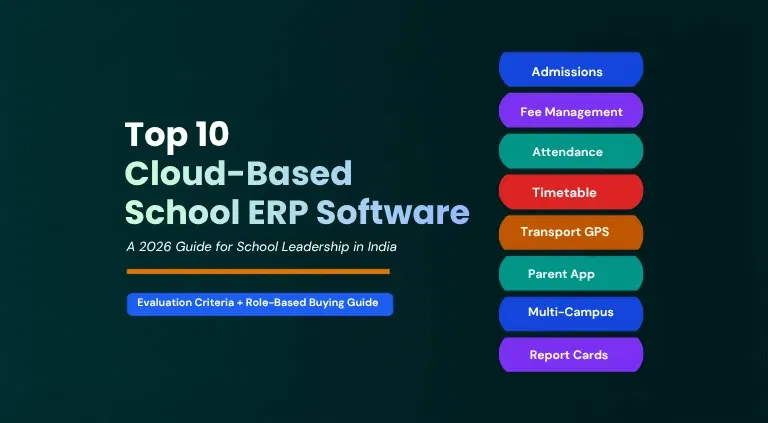
Cloud-based school ERP software for schools in India has moved from a nice-to-have to an operational necessity. India's school system now spans nearly 14.67 lakh schools & over 24.72 crore students, and internet connectivity in schools has climbed from 7.3% in 2013-14 to 67.4% in 2025-26, according to the UDISE+ 2025-26 report.
This shift means school leadership can no longer rely on registers, spreadsheets, and disconnected desktop tools to run admissions, fees, attendance, and communication. A cloud-based school ERP software puts every process on one platform that any authorised stakeholder can access from any device, without maintaining servers on campus.
This guide walks school leadership through why cloud-based school ERP software works differently from conventional systems. Challenges schools face without one, what each leadership role should evaluate, and the criteria that separate a dependable platform from a risky one.
TL;DR
Cloud-based school ERP software is now essential for Indian schools, replacing registers and disconnected desktop tools with one system accessible from anywhere. The scale of Indian education makes real-time, unified data critical for leadership at every level. Schools without it lose visibility into fees, attendance, and cross-campus reporting.
This blog walks through why cloud ERP works differently from on-premise systems, the operational challenges schools face without one, and a role-by-role breakdown of what trustees, principals, IT heads, finance heads, and operations heads should each evaluate. It also lays out 10 criteria, from deployment model to vendor track record, for scoring any platform before committing.
edumerge School ERP stands out among the 10 platforms compared as the cloud-native option purpose-built for groups of institutions. Offering real-time trustee visibility, zero on-premise hardware, and named account support. Choosing the right platform the first time saves schools the cost and disruption of switching systems later.
Why Schools Need a Cloud-Based School ERP Software
Conventional school management software was built to run on a single computer or a local server inside the school office. A cloud-based school ERP software works on a fundamentally different model, and that difference shows up in day-to-day school operations:
- No on-campus servers or IT hardware - The platform runs on the vendor's cloud infrastructure, so schools avoid the capital cost and upkeep of local servers.
- Access from anywhere, on any device - Principals, teachers, finance staff, and parents reach the same live data from a laptop, tablet, or phone.
- Automatic updates and security patches - New features and fixes roll out centrally, with no manual installation at each school.
- Built-in backup and disaster recovery - Student and financial records are not tied to one physical machine that can fail or be stolen.
- Scales with the institution - Adding a new campus, board, or academic year does not require new hardware or a system rebuild.
- Single source of truth across campuses - Groups of institutions get one consolidated view instead of separate databases per school.
The table below sets out how a cloud-based school ERP software compares with a traditional on-premise school management system on the factors that matter most to school leadership.
| Aspect | Cloud-Based School ERP | Traditional On-Premise System |
|---|---|---|
| Infrastructure | Hosted by the vendor; no local servers needed | Requires servers and IT staff on campus |
| Access | Available from any device, any location | Limited to school-office computers |
| Updates | Automatic, centrally managed | Manual installation at each school |
| Cost structure | Predictable subscription, low upfront cost | High upfront hardware and licence cost |
| Data backup | Automated, off-site backup by default | Depends on manual backup discipline |
| Multi-campus visibility | Single dashboard across all campuses | Separate systems per campus, hard to consolidate |
For a deeper look at why this shift is no longer optional, read our guide on why digital transformation is a must for schools.
Key Challenges Schools Face Without Cloud-Based School ERP Software
Schools still running on registers, spreadsheets, and offline desktop tools face operational friction that compounds as student strength grows. Each gap below creates a specific downstream effect on daily operations.
1. Fragmented data across separate files
Admission forms live in one register, fee receipts in a ledger, and attendance in another spreadsheet or biometric export. No single system pulls these together into one student record.
Effect: Front-office staff spend hours cross-checking files before answering a simple question like "has this student paid this term's fees" or "what is this student's attendance percentage." Errors creep in whenever the same data is entered twice across different tools.
2. Manual fee reconciliation and defaulter tracking
Payments collected by cash, cheque, or bank transfer are matched against records by hand at the end of each day or week.
Effect: Finance heads lose real-time visibility into collections, defaulters are flagged late, and reminders go out after the optimal window has passed. This delays cash flow planning for the whole institution, not just one campus.
3. Delayed reporting to trustees and chairpersons
Each campus prepares its own report, usually once a month, before consolidating it for group leadership.
Effect: Trustees make decisions on data that is already three to four weeks old. A fee shortfall, an attendance drop, or a staffing gap at one campus surfaces only after it has already affected an entire term.
4. Parent queries routed through phone calls and WhatsApp
Without a self-service portal, parents ask staff directly for fee status, attendance, or exam schedules.
Effect: Front-office and teaching staff spend a meaningful part of the day answering repetitive queries instead of academic or administrative work, and response times vary depending on who picks up the call.
5. Report cards, timetables, and transport routes built by hand
These are recreated from scratch each term using spreadsheets or standalone tools that do not talk to each other.
Effect: Small changes, like a subject reallocation or a new bus stop, require re-doing large parts of the document manually, increasing the chance of errors reaching parents and students.
According to the UDISE+ 2025-26 report, only 69.9% of Indian schools currently have computer access, which means close to 3 in 10 schools are still working through the processes above without any digital foundation to automate them.
When left unaddressed, this gap slows down admissions cycles, delays fee collection, and leaves leadership making decisions without current data, compounding further as the school or group of institutions scales.
Many of these evaluation gaps trace back to the day-to-day friction covered in school administration challenges in India.
Top 10 Cloud-Based School ERP Software for Schools in India
1. edumerge School ERP
Cloud-native school ERP built specifically for groups of institutions, unifying student operations, HR, and finance under a single command layer.
Key strengths:
- Entire student & school operations lifecycle management: from admission to report cards, and from attendance to fee collection on one platform.
- School ERP with zero on-premise server requirement, so schools across India can go live without IT infrastructure investment or a dedicated server room.
- Real-time, anywhere access for admins, teachers, and parents from any device, removing the dependency on campus-bound systems that many Indian schools still run.
- Built for groups of institutions: a single cloud instance gives trustees live, group-level visibility across every school in the network, instead of waiting on manually consolidated reports from individual campuses.
- Centrally delivered updates and new features roll out to every school in the group simultaneously, with no on-site installs, no version mismatches, and no manual patching by local IT staff.
- Data security and continuity are handled at the cloud infrastructure layer. So schools get automatic backups and uptime without needing to manage servers or worry about local hardware failure.
- Seamless integration with edumerge's other cloud suites, College ERP, HRMS, and Finance & Control, so a school's data connects naturally as it scales within a larger group.
- Backend upgrades happen entirely on the cloud side, meaning the same familiar School ERP interface for teachers, parents, and staff, with zero disruption or downtime during migrations.
2. Entab
An Indian school ERP known for its CampusCare platform, focused on a high-end, experiential approach to school management.
Key strengths:
- Cloud-hosted CampusCare architecture removes the need for on-premise servers at each school.
- Real-time data sync across campuses, so financial and academic records update instantly rather than on a batch or manual upload schedule.
- Cloud-based delivery supports remote access for administrators and staff, useful for oversight across distributed campuses.
- Automatic platform updates and patches are pushed centrally, without IT teams needing to manage upgrades on local machines.
What to note:
- Deep feature depth can mean a steeper learning curve for smaller schools that only need core modules.
- Group-level, multi-campus consolidation may require additional configuration on top of the base offering.
You may also like our comparison on edumerge vs Entab School ERP.
3. PowerSchool
Global student information system with presence in Indian international and CBSE-affiliated schools.
Key strengths:
- True SaaS architecture with global data centre infrastructure, giving consistent uptime and availability.
- Cloud-native scalability, so the platform can expand across additional campuses without new hardware investment.
- Anywhere, any-device access for staff and parents, since the system is not tied to a school's local network.
- Built-in cloud security and compliance certifications that come from operating at global SaaS scale.
What to note:
- Primarily architected for international markets; India-specific compliance and localisation may need extra setup.
- Pricing and support models are typically structured for larger institutions or chains.
4. MyClassboard
Cloud-based school management platform focused on communication, academics, and administrative automation for Indian schools.
Key strengths:
- Fully cloud-hosted, so schools avoid the cost and maintenance of local servers.
- Mobile-first cloud design allows parents and staff to access records and updates from any device, anywhere.
- Real-time attendance and fee-status updates, since data is centralised in the cloud rather than synced periodically.
- Cloud infrastructure allows new campuses to be onboarded without additional on-site IT setup.
What to note:
- Group-wide, trustee-level financial control features are less of a core focus compared to platforms built specifically for institution groups.
- Customisation for large multi-campus rollouts can extend implementation timelines.
5. Next Education
Combines school ERP with content and learning solutions, positioning itself as an academic-plus-administration platform.
Key strengths:
- Cloud delivery of both ERP and content modules from a single platform, avoiding the need to host learning content separately.
- Remote accessibility for teachers and students to academic content and administrative records alike.
- Centralised cloud updates mean new content and curriculum changes roll out to all schools simultaneously.
- Cloud-based storage removes dependency on local infrastructure for content-heavy modules like e-learning.
What to note:
- Institutions wanting a pure administrative or finance-heavy ERP may find the content-bundling adds unnecessary scope and cost.
- Depth of finance and HR modules is generally lighter than platforms built around those functions specifically.
6. LEAD Group's School ERP
An academic transformation engine that ties administrative data directly to student learning outcomes, delivering a standardised curriculum through the ERP.
Key strengths:
- Cloud-hosted curriculum and administrative data in one system, so learning outcomes and admin records stay linked in real time.
- Teacher-led AI assistants run in the cloud, meaning updates and improvements reach every school without local installs.
- Cloud access lets school owners view outcome data across multiple campuses without visiting each site.
- Centralised cloud deployment ensures curriculum standardisation is applied uniformly across all connected schools.
What to note:
- The tight coupling with LEAD's own curriculum model may not suit schools wanting to keep their existing pedagogy independent of the ERP vendor.
- Group-level financial governance and HR depth are secondary to the academic focus.
Explore the list of top 9 school ERP software for K-12 schools in India.
7. Fedena
Cloud-based and on-premise ERP system used by thousands of schools worldwide, supporting multilingual and multi-campus operations.
Key strengths:
- Offers a genuine cloud deployment option, giving schools remote access without on-site server dependency.
- Cloud version supports multi-campus and multilingual operations from a single centralised instance.
- Cloud hosting enables scaling to additional branches without provisioning local hardware.
- Centralised cloud updates ensure all connected campuses run the same version of the platform.
What to note:
- Broad, global-first design means some India-specific compliance or board-level workflows may need extra configuration.
- On-premise flexibility can mean less standardisation across a group's campuses if not centrally managed.
Explore how edumerge School ERP compares with Fedena.
8. Edunext Technologies
Cloud-based school ERP delivers 25+ modules tailored specifically for CBSE and ICSE affiliated schools, with a strong mobile-first parent and student experience.
Key strengths:
- Mobile-first cloud apps give parents and students real-time access to records from any device.
- Cloud-based e-learning portal lets content be updated centrally and pushed instantly to all users.
- Cloud architecture supports fast onboarding for new schools without on-site infrastructure setup.
What to note:
- Feature depth is tuned specifically for CBSE and ICSE schools, so institutions on other boards should verify fit before committing.
- Group-level, multi-campus trustee consolidation is not the platform's primary design focus; it is built more around single-school or small-group needs.
Also explore our comparison on edumerge School ERP vs Edunext.
9. Vidyalaya
Long-standing school management system with widespread adoption across state boards and private educational groups, known for biometric and RFID-based student tracking.
Key strengths:
- Cloud-based core with offline-compatible modules, giving continuity even when local connectivity is inconsistent.
- Centralised cloud storage of biometric and RFID attendance data across multiple campuses.
- Cloud accounting module allows remote access to financial records without visiting individual school sites.
- Cloud deployment reduces the need for schools to manage their own data backup infrastructure.
What to note:
- Offline-compatible design can mean fewer real-time, cloud-native analytics compared to purely cloud-first platforms.
- Best suited to regional and mid-sized schools rather than large, distributed GOIs needing centralised control.
10. VAPS Group
A veteran provider known for highly secure, cloud-based ERP solutions tailored for diverse boards like CBSE and ICSE, with advanced automation in examinations and multi-branch management.
Key strengths:
- Cloud-native architecture built specifically around multi-branch management, so the head office gets visibility across campuses in real time.
- Strong emphasis on cloud data security, including encryption and access controls at the infrastructure level.
- Cloud hosting eliminates the need for each affiliated school to run and maintain its own server setup.
- Centralised cloud updates keep examination automation and other modules consistent across all connected branches.
What to note:
- Broad board coverage is a strength, but institutions with highly specific finance-governance needs may need to verify depth against a finance-first platform.
- As with most multi-branch ERPs, trustee-level consolidated reporting across a large group may require custom setup.
To see how edumerge stacks up against generic platforms on these exact points, read edumerge vs generic School ERPs.
Evaluation Criteria for Cloud-Based School ERP Software
Once leadership has identified what matters to each role, the platform still needs to be scored against a common set of criteria. These ten checkpoints cover the ground that separates a dependable cloud-based school ERP software from one that creates new problems later.
| Criterion | What to Check | Why It Matters |
|---|---|---|
| Deployment model | Fully cloud-hosted, not a hybrid retrofit of desktop software | Confirms genuine cloud benefits, not a rebranded on-premise tool |
| Data security & RBAC | Role-based access control and encryption in transit and at rest | Keeps student and financial data restricted to authorised users |
| Multi-campus support | One dashboard across boards, campuses, and academic years | Essential for groups of institutions, not single schools |
| Integration capability | Works with payment gateways, biometric devices, and communication channels | Avoids data silos between systems |
| Implementation timeline | Clear, realistic go-live plan with data migration support | Determines how fast the school stops running two systems in parallel |
| Mobile accessibility | Dedicated apps for parents, teachers, and staff | Drives day-to-day adoption beyond the school office |
| Support & SLAs | Named account ownership, defined response times | Reduces downtime risk during admissions or exam season |
| Total cost of ownership | Subscription cost plus training, migration, and add-on modules | Prevents budget surprises after signing |
| Vendor track record | Verifiable references from similar schools or groups | Confirms the vendor can deliver at the school's scale |
| Compliance & reporting | Board-specific formats and trustee-level reporting built in | Keeps the school audit and inspection ready |
If you want to explore edumerge's own platform in more depth before deciding, our detailed breakdown, what is edumerge School ERP, covers exactly that.
Conclusion
Cloud-based school ERP software for schools in India is no longer optional infrastructure. It is the difference between leadership working off real-time data and leadership working off outdated reports.
Schools that evaluate platforms role by role, and against clear criteria, avoid the cost of switching systems later. The right choice reduces manual work across admissions, fees, and communication from day one.
edumerge brings all of this together on a single cloud platform built for Indian schools and groups of institutions, backed by named account support and a track record with 800+ schools already live.
Frequently Asked Questions (FAQs)
1. Is cloud-based school ERP software suitable for CBSE and ICSE schools?
Yes. Cloud-based school ERP software can be configured for board-specific report card formats, examination patterns, and compliance reporting for CBSE, ICSE, and state boards.
2. Does cloud-based school ERP software support multiple campuses?
A well-built cloud-based school ERP software gives a single dashboard across all campuses of a group of institutions, replacing separate systems per school.
3. How long does it take to implement a cloud-based school ERP system?
Implementation timelines vary by school size and data volume, but cloud-based systems are typically faster to deploy than on-premise software since there is no server setup involved. Read about edumerge's implementation methods.
4. Is cloud-based school ERP software secure for student data?
Reputable platforms use role-based access control and encryption to ensure only authorised staff can view sensitive student and financial data.
5. What should trustees look for in a cloud school ERP system?
Trustees should look for real-time, consolidated financial and academic reporting across every campus, along with audit-ready and compliance-ready records.
6. Can cloud-based school ERP software work without a stable internet connection?
Most cloud-based school ERP platforms need internet access for real-time features, though some offer limited offline functionality that syncs once connectivity is restored.
7. What is the total cost of cloud-based school ERP software?
Cost is typically a predictable per-student or per-campus subscription, which is generally lower than the upfront hardware and licensing cost of on-premise systems.