Last week of every month, the school accounts officer opens 5 tabs: the bank portal, the fee system, the payment gateway CSV, a cheque clearance register, and an Excel file with last month's partially completed reconciliation.
3-5 working days later, they have matched most entries. A handful of unresolved items stay on the list to be carried forward & investigated when time permits. The principal's question about this month's fee collection status still cannot be answered accurately.
This is bank reconciliation for schools as it exists in most Indian institutions today. In this guide, we explain why it breaks down, and what changes can you make to your school processes to connect everything on one platform.
TL;DR
Bank reconciliation for schools means matching every fee payment received (via UPI, cash, cheque, NEFT, or gateway) against the corresponding bank statement entry, and confirming that the ERP ledger, the fee receipt, and the bank credit all agree.
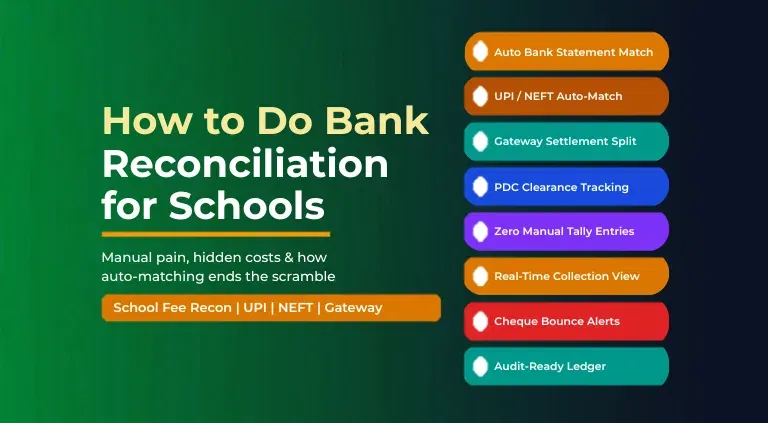
The manual version of this process takes school finance teams 3-5 working days every month and is error-prone. With edumerge Finance & Control, reconciliation happens automatically.
Every online payment auto-posts a receipt & ledger entry at the moment the bank confirms it. The banking dashboard imports the statement & auto-matches credits against receipts. While unmatched items are flagged for review rather than hunted for in spreadsheets.
What is Bank Reconciliation for Schools?
Bank reconciliation is the process of confirming that the school's accounting ledger agrees with the bank statement, and that every fee receipt recorded in the fee system corresponds to an actual credit in the bank. It has three layers for a school:
- Fee system to ledger: Every receipt issued must have a matching journal entry in the school accounting system. In schools using disconnected tools, this is a manual step that the accountant performs for each receipt.
- Ledger to bank statement: Every bank credit in the statement must be matched to a ledger entry. Online payments, cash deposits, cheque clearances, and NEFT transfers all appear in the bank statement but arrive with different narrations and at different times from when they were recorded in the fee system.
- Gateway settlement to ledger: Online payment gateways settle to the bank in bulk, net of charges & TDS. This bulk credit must be split across individual receipts in the fee system and the TDS deduction must be posted as a separate accounting entry.
The challenge is not that these are complicated concepts. They are standard double-entry accounting procedures. The challenge is that for most Indian schools, these three layers live in three different tools: a fee management module in the ERP, an accounting system (usually Tally), and a gateway dashboard. Connecting them is manual work.
Read more how to automate school fee reconciliation in minutes.
Why Manual Bank Reconciliation Fails School Finance Teams
School reconciliation fails not because of incompetent accountants, but because of structural problems in how fee data flows across disconnected tools. These six problems compound each other every month.
1. Too many payment channels, no single view
A school collects fees through cash at the counter, cheques, demand drafts, UPI from parent phones, NEFT transfers to the school bank account, and online payment gateways. Each channel lands separately.
Gateway settlement reports in the finance team's email, UPI credits visible only in net banking, cash entries in the cashier's register, cheque deposits in a physical deposit book. The finance officer starts every month-end with 4-5 data sources that must be manually collapsed into one view before reconciliation can begin.
2. NEFT narrations are useless for matching
When a parent sends Rs. 18,500 via NEFT, the bank statement shows a narration like 'NEFT/XXXXXXXXXX/RAJEEV' or, worse, just the UTR number. There is no student name, no roll number, no invoice reference. The accounts officer must open the fee system, search for a payment of that exact amount in the right date range, and manually confirm the match.
For a school with 500+ families paying in the same two-week window, this is a day-long exercise. Copy-paste errors during this step affect roughly 3-4% of entries, sourced from edumerge's own analysis, generating audit queries that take more time to resolve.
3. Cheques take 2-3 days to clear, breaking reports
A parent submits a cheque for the second installment on 14th March. The accounts officer records it as received in the fee system. The bank clears the cheque on 17th March. Until it clears, the fee system says collected; the bank statement says not credited.
A week before month-end, the accounts officer must manually reconcile these pending clearances, verify which cheques bounced & need re-entry, and adjust the outstanding register accordingly. The process has no automation and no alert system.
4. Online gateway settlements arrive a day late and in bulk
Payment gateways settle to the school's bank account in bulk, typically T+2, and send a CSV report the following morning. The settlement amount in the bank does not match any individual fee receipt. It matches a batch of 12-20 payments, less the gateway's service charges, less TDS if applicable.
The accounts officer manually splits this single bank credit across the individual receipts in the fee system. Then reconciles TDS deduction as a separate accounting entry. For a school processing 200+ online payments a month, this step alone takes 4-6 hours.
5. Receipts live in a different system from the ledger
In most schools, the fee management tool generates receipts & the accounting software (usually Tally) holds the ledger. Every payment collected requires a manual receipt voucher entry in Tally. When a receipt is cancelled or reversed, the accountant must reverse both the fee system receipt and the Tally entry.
When a parent pays part of their dues online and part in cash on the same day, two receipts in two systems must be reconciled against one bank entry. The disconnection between the fee tool and the accounting ledger is the root cause of most school bank reconciliation errors.
6. No real-time view for the principal or finance head
Because reconciliation happens at month-end, the principal has no accurate picture of actual cash in the bank on any given day during the month. The finance head cannot tell a trustee how much fee has been collected this week without manually running reports that are already partially stale.
The information exists, but extracting it requires assembling it from multiple systems rather than reading it from a single dashboard.
The hidden cost of manual reconciliation: A school finance officer spending 4 working days per month on reconciliation spends roughly 48 working days per year on a task that exists only because the fee system & the accounting system do not talk to each other. That is nearly 2.5 full working months, every year, consumed by reconciliation, defaulter follow-up, or budget planning.
How to Do Bank Reconciliation for Schools: The 7-Step Manual Process
For finance teams that still run reconciliation manually, the following 7 steps represent the standard process for an Indian school with multiple payment modes and a separate accounting system.
Step 1: Download bank statement
Export the month's statement from the school's net banking portal as a CSV or PDF. If the school has more than one bank account (current for fee collection, savings for petty cash, a separate HDFC account for gateway settlements), download one statement per account.
Step 2: Export fee receipts
Pull the list of all fee receipts issued during the month from the fee management software or ERP. Export as Excel. This list shows receipt number, student name, amount, date & payment mode.
Step 3: Export gateway settlement reports
Download the payment gateway CSV from Razorpay, Cashfree, or CCAvenue showing all transactions, their settlement status, and the deduction for gateway charges & TDS.
Step 4: Create a master reconciliation sheet
Open a new Excel file. Paste the bank statement entries in column A & fee receipts in column B. Begin matching: look for entries where the date, amount & narration can be linked to a receipt. Online payments generally match if the reference number appears in the gateway report. NEFT entries require manual amount-and-date matching. Cash deposits require matching against the cashier's daily collection summary.
Step 5: Flag unmatched entries
Mark every bank credit that cannot be matched to a receipt. Common reasons: a parent paid a partial amount not matching any invoice, a wrong account number was used, an NEFT UTR belongs to the wrong month, a cheque deposit from the previous month cleared this month. Each flagged entry requires a separate investigation.
Step 6: Reconcile pending cheques
Check every cheque-mode receipt from the previous 2 weeks against the bank statement. Confirm which cleared. Mark bounced cheques in the fee system and raise re-presentation notices to parents. Update the outstanding register.
Step 7: Post correcting journal entries in Tally
Once the reconciliation sheet is complete, the accountant passes correcting journal entries in Tally for any receipts that were entered at the wrong amount, any gateway TDS adjustments, and any returned cheques. This step is done manually, even when the reconciliation was done in a separate tool, because the accounting software has no live link to the fee system.
The problem with this process: Every step above requires a human to move data from one system to another. Every move introduces the possibility of an error. The process takes 3 to 5 working days. At the end of it, the reconciled data is already 1-5 days old. And the exercise must be repeated identically next month.
If you loved reading till here, you might also like our blog on how to manage school finances in India.
How edumerge Auto-Matches Fee Payments to Bank Entries
edumerge does not do reconciliation faster. It eliminates the need for most of it.
The key architectural decision is that the fee management module, the accounting general ledger, and the banking reconciliation dashboard all share one database. There is no export step between the fee system & the accounts, and no import step from the accounts to the reconciliation screen. They are the same system.
How each payment mode works in edumerge, from collection to reconciliation:
- Online payment via gateway (UPI, net banking, card). A parent pays online at 9 PM through the student portal. The payment gateway confirms the transaction in real time. edumerge auto-generates a receipt with an atomic receipt number. The correct GL account for that fee head is debited (bank/gateway) & credited (fee income). The receipt & the journal entry are created simultaneously. When the gateway settles the batch to the bank account the next day, the settlement auto-reconciles against the individual receipts that comprised that batch. TDS deduction is auto-posted as a separate accounting entry. The finance officer sees a matched entry, not an open item.
- NEFT transfer by parent. A parent transfers Rs. 22,000 via NEFT. The bank statement shows the UTR number. edumerge's banking reconciliation dashboard matches the credit against outstanding fee receipts by amount & date. Where the UTR appears in the gateway confirmation (for NEFT processed through the payment portal), the match is automatic. Where the NEFT was sent directly to the bank account, the system matches by amount & flags the entry with the nearest matching outstanding receipt for the finance officer to confirm in one click, not investigate from scratch.
- Cash collection at counter. The cashier records the payment through edumerge's counter collection interface, selects the student, confirms the fee head & amount, and generates a receipt. The GL entry is simultaneous. At the end of day, the cashier's total collection appears in the reconciliation dashboard as an expected deposit. When the bank statement confirms the cash deposit credit, the system matches it. No daily collection summary needs to be manually compared with bank entries.
- Cheque and PDC. The cashier records a cheque payment with the cheque number, bank, branch & presentation date. The PDC manager tracks every pending cheque with expected clearance dates. When the bank statement confirms the credit on the clearance date, the entry is matched automatically. If a cheque bounces, the system flags it immediately when the bank statement shows the reversal, initiates the dishonour charge entry, and queues the parent for a re-presentation or cash recovery communication. All without any manual comparison of a deposit book with bank entries.
Bank reconciliation auto-matches payments to invoices. No more end-of-day manual matching. This is the reason behind us building the edumerge Finance & Control. The design intent is to remove the reconciliation step from the monthly routine entirely for online & gateway payments. Manual matching is reserved only for exceptions, not for routine entries.
Manual vs edumerge Auto-Match: 10-Step Comparison
The table below compares each step of the manual reconciliation process with what edumerge does instead. Green entries do not require any finance team action. Amber entries require a one-click confirmation. Red entries in the manual column reflect common failure points.
| Step | Manual process (before) | edumerge auto-match (after) |
|---|---|---|
| Bank statement import | Manual CSV download from net banking, pasted into Excel | Auto-imported or uploaded; system parses entries automatically |
| NEFT payment matching | Amount-and-date manual search across fee receipts; 3-4% copy-paste error rate | Auto-matched by amount, date, and UTR where available; exceptions flagged |
| UPI payment matching | UPI ID search in fee system; narration often truncated or missing | Gateway confirmation auto-matches UPI transactions to receipts instantly |
| Gateway settlement split | 4 to 6 hours manual split of bulk settlement across individual receipts | Auto-matched against individual gateway confirmation records; TDS adjustment posted automatically |
| Cheque clearance tracking | Manual comparison of deposit book against bank credits, 2 to 3 day lag | PDC tracker flags expected clearance dates; bounced cheques auto-flagged for re-presentation |
| Cash deposit confirmation | Cashier summary manually compared with bank deposit slip | Daily cashier collection auto-generates deposit expectation; bank credit confirmation closes the loop |
| Ledger posting | Manual receipt voucher entry in Tally after fee system receipt | Every payment auto-posts to the correct GL account at point of collection; no manual Tally entry |
| Unmatched item review | Hundreds of entries scanned manually; exceptions buried in the spreadsheet | Only flagged exceptions surfaced on the reconciliation dashboard; routine items already matched |
| Report for principal | Excel summary prepared manually after reconciliation completes; often a week late | Live dashboard: collection vs demand, outstanding aging, gateway settlement status at any moment |
| Audit trail | Paper vouchers and Excel logs; incomplete, inconsistent, not searchable | Every transaction logged with receipt number, GL entry, bank credit, mode, and timestamp |
Is Your School's Reconciliation Scramble a Tools Problem or a Process Problem?
Bank reconciliation for schools does not have to be a month-end crisis. Most school reconciliation pain comes from tools that do not share data. The fee system, the accounting software, and the bank are three separate worlds. edumerge Finance & Control connects them on one database, so reconciliation happens at the moment of collection, not at the end of the month.
The manual 7-step process is a consequence of disconnected tools, not an unavoidable administrative burden. When the fee management module, accounting ledger & banking dashboard share one database, most reconciliation happens at the moment of collection.
The finance officer's job shifts from hunting for matches to reviewing flagged exceptions. The principal's question about today's collection status has an answer in 30 seconds.
Request a demo of edumerge Finance & Control
Payroll is the other recurring reconciliation load finance offices carry every month. 5 Best Payroll Software for Schools in India (2026) covers what to look for there.
Frequently Asked Questions (FAQs)
1. How long does manual bank reconciliation take for a school?
For a school with 500-1,000 students & multiple payment modes, manual bank reconciliation typically takes 3-5 working days each month. This includes downloading bank statements, exporting fee receipts, matching entries in Excel, tracking cheque clearances, splitting gateway settlement reports, and passing correcting journal entries in the accounting software. Schools processing higher fee volumes or managing multiple bank accounts spend proportionally more time.
2. What are the most common bank reconciliation errors in schools?
The most common errors are: NEFT payments not matching any receipt because the narration lacks student identification; gateway settlement amounts not reconciling because TDS deductions are not accounted for; cheques recorded as received but not yet cleared creating a timing mismatch; copy-paste errors in the reconciliation Excel sheet (affecting roughly 3-4% of manual entries); and receipts entered in the fee system that were never posted to the accounting ledger because the two systems are disconnected.
3. What does automated bank reconciliation mean for a school?
Automated bank reconciliation for a school means the ERP connects the fee management module, the payment gateway, and the accounting ledger on one database. When a parent pays online, the gateway confirmation auto-posts a receipt and a ledger entry simultaneously. The bank statement is imported or linked, and an auto-matching engine compares bank credits against posted receipts by amount, date, and reference. The finance officer only sees the items that could not be matched automatically, rather than reviewing every single transaction.
4. How does edumerge handle bank reconciliation for schools?
edumerge Finance & Control provides a banking reconciliation dashboard where the school's bank statement is imported, and the auto-matching engine reconciles bank credits against ERP receipts automatically. Online gateway payments match against gateway confirmation records at the moment of collection. Cash & cheque deposits are matched against daily cashier summaries. Unmatched items are surfaced for review. PDC management tracks post-dated cheques with expected clearance dates & flags bounced cheques. The ledger is always current because every payment mode auto-posts to the correct GL account at point of collection, with no manual Tally or accounting entry required.
5. What is the difference between fee management and bank reconciliation in a school?
Fee management handles the collection side: fee structures, invoice generation, payment collection, receipts & reminders. Bank reconciliation handles the verification side: confirming that what the fee system recorded as collected actually appeared as a credit in the school's bank account, and that the accounting ledger reflects the same figures.
6. Why do NEFT payments cause reconciliation problems for school finance teams?
NEFT payments appear in the bank statement with a narration like UTR/XXXXXXXXXX/RAJEEV or just the UTR number, with no student name, roll number, or invoice reference. The finance officer must manually search the fee system for a payment of the exact same amount in the same date range to identify the student. When multiple students owe the same amount, or a parent has paid a partial installment, the match becomes ambiguous.
7. What is PDC management in school fee reconciliation?
PDC (Post-Dated Cheque) management in a school ERP tracks cheques collected from parents that are dated for future clearing. The system records each PDC with the student's details, the cheque amount, the bank & the presentation date. As each presentation date arrives, the system flags the cheque for deposit. When the bank statement confirms the credit, the cheque is marked cleared. If the bank returns it for insufficient funds or signature mismatch, the system flags it as bounced and initiates a re-presentation or cash recovery workflow.
8. Does bank reconciliation software for schools need to integrate with Tally?
Historically yes, because most schools used Tally as their accounting system and needed fee receipts to sync there. edumerge Finance & Control provides its own full accounting module, where every fee payment auto-posts to the GL at the point of collection. For schools that continue to use Tally alongside edumerge for fee collection, a sync is available. However, the auto-reconciliation benefit is fully realised only when the fee management & accounting modules share one database.
9. What should a school finance head see on a reconciliation dashboard?
A school finance head's reconciliation dashboard should show: today's collection vs today's demand, this month's collection vs expected, outstanding aging by days & by fee head, unmatched bank entries awaiting investigation, gateway settlement status, cheque clearance pending list, and reconciliation completion percentage for the current period. edumerge Finance and Control provides exactly this view in real time.