An educational group of institutions runs dozens of systems across campuses, and staff are already turning to AI tools to get answers faster. Education is now the most targeted sector worldwide for cyberattacks, averaging close to 4,800 attempts per organisation every week.
"Scope-locked" is the term for AI that checks a person's role before it answers anything, and refuses to cross into data that role cannot see. Security researchers already estimate that roughly 1 in 26 prompts sent through generative AI tools at work risks exposing sensitive information.
Scope-locking sounds like a small technical detail. But it decides whether an AI layer strengthens governance or quietly works around it.
This explainer covers what scope-locked actually means inside an Education ERP, why standard role-based access control (RBAC) does not automatically extend to AI, and what a multi-campus GOI stands to lose without it.
TL;DR
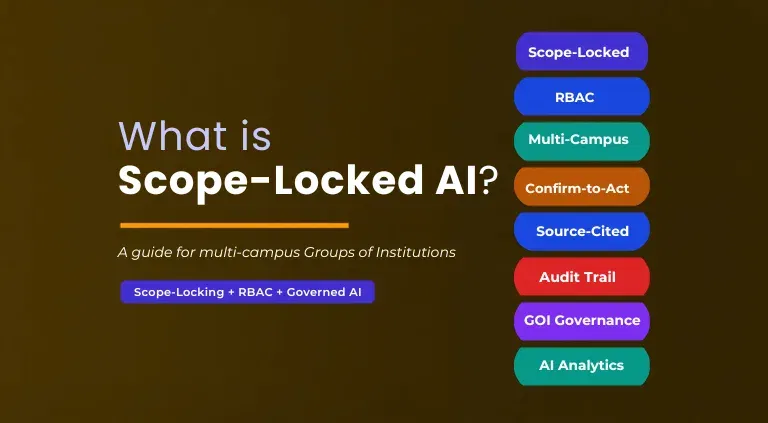
Scope-locked AI answers only within the data boundary of the asker's role. The same way RBAC restricts screens & reports, but is enforced for every AI query & action, not just at login.
Standard RBAC secures who can open a screen. It says nothing about what an AI model can infer, combine, or generate once it has read access. Which is why RBAC alone leaves gaps that scope-locking closes.
For a multi-campus GOI, unscoped AI can leak one campus's data to another, generate answers a Trustee cannot verify. Or even take action no one approves. edumerge Govern enforces scope-locking at the data layer across every campus, role, and module.
What "Scope-Locked" Actually Means in an Education ERP?
Scope-locked means an AI system checks the requester's role & permissions before it looks at any data.
If a campus admission officer asks a question that touches finance records outside their own campus, the system refuses to answer rather than generating a partial or approximate response.
This differs from simply restricting a chat interface to certain users. Scope-locking applies to the answer itself: the AI can only draw on data the asker's role is entitled to see. And it cannot broaden that boundary within a session even if a wider answer would seem more useful.
- The check happens before data retrieval, not after an answer is generated
- Scope is tied to the individual's role, not to the device, login, or interface they use
- A query outside scope is refused, not silently narrowed or guessed at
- Scope cannot be widened mid-session without an administrator changing the underlying permission
- The same rule applies whether the query is asked once or repeated in different words
Why Role-Based AI Scope Matters More in Multi-Campus Groups Than Single Institutions?
A single-campus institution has one data boundary to protect. A group of institutions has one for every campus, plus a group-wide layer above them. And the number of roles that need a different slice of the same data grows with every new campus added.
edumerge's multi-campus command center already gives leadership a way to drill from group-wide KPIs down to a single campus without breaking that boundary. An AI layer sitting on the same platform has to respect the identical boundary, or it undoes the governance that edumergeOS was built to provide.
- Growth compounds the risk.
- Every new campus, department, or role added to a GOI is another point where an unscoped AI tool could expose data across a boundary that took years of governance discipline to build.
- Scope-locking is what lets that discipline extend to AI instead of being bypassed by it.
If you're looking for the broader picture, governed AI for institution groups lays out the category scope-locking sits inside.
What Happens Without Scope-Locking: The Real Risks for a GOI
When AI sits on top of an ERP without scope-locking, the ERP's own access controls stop mattering the moment someone opens the AI chat.
This is not a hypothetical concern. Organisations without governance controls in place are roughly 2.5 times more likely to experience an AI-related data leak. Four risks show up quickly in a multi-campus group.
1. Cross-Campus Data Leakage
An AI model with broad read access does not know that a campus principal should only see their own campus's fee collection. Ask it a comparative question and it may answer using data from every campus in the group. Handing one campus's numbers to a person who was never granted access to them.
2. Answers a Trustee Cannot Verify
Without scope tied to a verified data source, an AI tool can blend, infer, or extrapolate figures. A board asking where a number came from deserves a traceable answer, not an unverifiable one generated on the fly.
3. Actions Taken Without Approval
Some AI tools draft, send, or update records the moment a query implies an action. In a GOI running dozens of finance & HR workflows in parallel, an unapproved action taken on the wrong scope is difficult to reverse. And even harder to explain to a board.
4. No Audit Trail to Point To
When an AI answer or action cannot be traced to a role, data source, or timestamp, an institution has no way to demonstrate what happened. Whether it be during a compliance review, an accreditation cycle, or a dispute between campuses.
Also explore the top multi-campus management software for educational groups in India.
Scope-Locking vs Standard Role-Based Access Control: Why RBAC Alone Isn't Enough for AI
Groups of Institutions already run RBAC across their ERP screens, reports, and approval chains. That control was built for people clicking through menus. It does not automatically extend to how an AI model behaves once it has a data connection.
| Dimension | Standard RBAC | Scope-Locked AI |
|---|---|---|
| What it restricts | Screens, menus, and reports a user can open | Every answer and action an AI generates, at the data layer |
| When the check happens | At login, once per session | At every single query, before any data is retrieved |
| How gaps show up | A user simply cannot open a restricted screen | An AI can combine, infer, or summarise across data a role should never see, unless the check is enforced at the AI layer itself |
| Aggregation risk | Low; access is confined to what is displayed on one screen | High; an AI can synthesise a group-wide answer from many campus-level records unless scope is locked per query |
| Action-taking | RBAC does not act; it only grants or denies view and edit access | AI can draft, flag, or send; scope-locking requires a separate confirm-before-act step for every write action |
| Auditability | Access logs show who opened what screen | A governed AI layer logs the query, the role, the data source, the action, and any refusal |
RBAC remains the foundation scope-locked AI is built on. It defines the roles and permissions that the AI layer then has to check before every query.
Check our blog on how AI governance software is reshaping accountability for Indian education groups to see how scope-locking fits into the broader governance picture.
What to Ask Your ERP Vendor Before You Trust Their AI With Multi-Campus Data
Every ERP vendor now has an AI story to tell. But not every AI story holds up once it touches a live multi-campus permission structure. Before a Trustee, IT Head, or CFO signs off on an AI layer, these 8 questions separate governed AI from a chatbot bolted onto an ERP.
1. Does the AI check my role before it retrieves data, or after it generates an answer?
A governed AI checks scope before touching any data. If the vendor cannot explain this sequence clearly, the check may be happening at the interface level only, which a rephrased query can bypass.
2. Can a campus-level user ever see another campus's data, under any query?
The answer should be an unambiguous no, with the boundary enforced at the data layer rather than left to how the question is worded.
3. What happens when the AI cannot verify an answer?
A governed system says so and flags what is missing. If the vendor's AI instead fills gaps with an inference or a plausible estimate, that is a guess wearing the shape of an answer.
4. Does every answer show its source, campus, module, and date range?
A Trustee or board member should be able to trace any number back to where it came from in the same response, not through a separate request to IT.
5. Can the AI take an action, like sending a communication or updating a record, without a human approving it first?
Ask specifically whether a preview-before-execute step exists for every write action, and whether that approval can be cancelled at the confirmation stage.
6. Is every query, answer, action, and refusal logged, and can that log be exported?
The log should be immutable and accessible to audit-permitted roles, ready for a compliance review or accreditation cycle without manual reconstruction.
7. Can scope be widened mid-session by the user themselves, or only by an administrator changing the underlying permission?
If a user can talk their way into a broader scope within the same session, the AI is not actually scope-locked, whatever the vendor calls it.
8. Is the AI trained on our institution's data, and does our data ever leave our platform's permission boundary?
This determines whether your institution's records stay inside your own governance boundary or get absorbed into a vendor's broader model training.
How edumerge Govern Enforces Scope-Locking Across Campuses, Roles, and Modules
edumerge Govern is edumerge's governed AI layer, built inside the platform rather than layered on top of it as a separate chatbot. It follows the same four-step model on every query: ask, verify, confirm, act and log. Each capability below is architecture, not a setting an admin can switch off.
1. Scope-Locked Answers
Every query is checked against the asker's role before any data is retrieved. A campus admin sees their campus. A group CFO or Trustee sees the group. Scope cannot be widened within a session without an administrator changing the permission.
- The role check happens at the data layer, not the interface layer. So it cannot be bypassed by rephrasing a query or switching screens.
- Cross-campus queries are available only to roles with group-level permission, such as a group CFO or Managing Trustee.
- Widening scope requires an administrator to change the underlying permission; no session-level workaround exists.
2. Source-Cited Answers
Every answer states the campus, module & date range it came from. If a field is missing, edumerge Govern flags it instead of filling the gap with an inference.
- Answers are formatted for board and leadership use, not as raw technical output a Trustee has to interpret.
- Incomplete data is never silently filled in. A missing field is surfaced as a flag, not smoothed over with a guess.
- A Trustee questioning a figure can trace it back to its source in the same response, without a follow-up request.
3. Confirm-Before-Act
Any action beyond reading a report, drafting a communication, flagging an exception, scheduling a task, shows a preview before it executes. Nothing is triggered by a query alone. A separate approval step is required.
- Every write action gets a preview-before-execute step. So the user sees exactly what will happen before it happens.
- Cancellation is available right at the confirmation step, not after the action has already run.
- A query that implies an action, such as asking edumerge Govern to notify someone, still requires a distinct approval before anything is sent.
4. Full Audit Trail
Every query, answer, action, and refusal is logged by role, data source, and timestamp. The log is exportable for board review, accreditation, or compliance audits.
- A query log records who asked what, when, and what answer they received.
- An action log records what was executed, who approved it, and on what data.
- A refusal log records what was refused, why, and at which governance step it was stopped.
- The full trail is exportable, and it cannot be deleted by the person who initiated the action. So it holds up under audit.
Conclusion
Scope-locked AI is not a feature to configure once and forget. It is the architecture that decides whether an AI layer strengthens a GOI's governance or quietly works around it.
RBAC built the walls between campuses and roles. Scope-locking is what makes sure an AI system respects those same walls at every single query, not just at login.
For a group running dozens of campuses under one board, that distinction is the difference between an AI tool leadership can trust with real decisions and one they have to double-check every time.
Frequently Asked Questions (FAQs)
1. Is scope-locked AI the same as role-based access control (RBAC)?
No. RBAC restricts which screens and reports a user can open. Scope-locked AI applies that same restriction to every AI-generated answer and action, at the data layer.
2. Why doesn't RBAC alone protect a GOI from AI risk?
RBAC controls what a person can view on a screen. But says nothing about what an AI model can infer or combine once it has read access, which is why AI needs its own scope check.
3. Can a campus admin at one campus see another campus's data through edumerge Govern?
No. edumerge Govern is scope-locked to the permission structure of the edumerge platform, so a campus-level user can only query within their own campus's scope.
4. What happens when an AI query falls outside a user's role?
The query is refused before any data is retrieved, and the refusal itself is logged along with the reason.
5. Does scope-locked AI take actions on its own?
No. Any action beyond reading data requires a confirm-before-act step, where the user sees exactly what will happen before approving it.
6. How does scope-locking help with board and Trustee reporting?
Every answer includes the data source it was drawn from. So a Trustee asking where a number came from gets a traceable answer instead of an unverifiable one.
7. What gets logged in a scope-locked AI system?
Every query, answer, action, and refusal, along with the role that triggered it, the data source used, and the timestamp, is recorded in an auditable trail.