Most schools, colleges, and trust-run institutions in India still run payroll on software built for factories and corporate offices. It gets the salary calculation done, but it treats every employee the same way. While following a calendar that has nothing to do with terms or vacations, and leaving statutory compliance to whoever remembers the deadline that month.
According to the UDISE+ 2025-26 report, India's school system alone employs over 1.03 crore teachers across nearly 14.67 lakh schools. And a large share of that workforce still has salaries processed through spreadsheets rather than an integrated system.
The search for the best payroll software for educational institutions usually turns into a comparison of feature lists that all look identical. What actually separates one from another is whether it was built around how an educational institution runs, not how a generic business runs.
This guide sets aside the vendor scorecards and focuses on what matters to the people who sign off on the purchase. Why conventional payroll software falls short, questions leadership should ask, and how decision-makers should make the call.
TL;DR
Educational institutions need payroll software built around academic calendars, mixed staff categories, and multi-campus structures, not generic corporate tools. Conventional systems create statutory compliance gaps, delay salaries & erode staff trust when payroll runs disconnected from attendance & leave data.
Leadership should evaluate any platform against direct questions on staff-category support, automated LOP calculation, statutory compliance, multi-campus operation & finance integration. Not a feature-list comparison.
The right choice involves Trustees, Principals, Registrars, IT & Finance Heads assessing the same criteria together. Among the options evaluated, edumerge HRMS stands out as the only education-native platform, with one-click payroll, automatic statutory compliance, and academic-calendar leave; built-in rather than configured.
Why Educational Institutions Need Specialized Payroll Software
A school, college, or trust runs on a fundamentally different operating rhythm than a corporate office. And payroll software built for the latter carries that mismatch into every pay cycle. Here is why the difference matters:
- Mixed staff categories: Teaching staff, non-teaching staff, contractual faculty, and guest lecturers each need different pay structures, allowances & statutory treatment in the same payroll run.
- Academic-calendar dependency: Leave, attendance & pay cycles follow terms, semesters, exam duty, and vacation periods. Not a standard 12-month corporate calendar.
- Multi-campus and trust structures: Many institutions operate as a trust or society running several campuses. Each needing its own staff records and pay policy alongside one consolidated view for the board.
- Mixed funding sources: Salaries are often funded through a combination of fees, grants & government aid, which conventional payroll software has no way to allocate or report against.
- Governance and audit scrutiny: Trustees, boards, and statutory auditors expect real-time visibility into payroll cost and compliance status, not a report compiled after the fact.
| Key Aspect | Generic Payroll Software | Education-Native Payroll Software |
|---|---|---|
| Staff structure | Treats all employees under one uniform pay policy | Separates teaching, non-teaching, and contractual pay structures |
| Calendar logic | Runs on a fixed monthly and annual corporate cycle | Follows the academic calendar, terms, and vacation periods |
| Compliance updates | Statutory rate changes (PF, ESI, TDS, PT) depend on manual tracking | Statutory calculations update automatically as rates change |
| Multi-location handling | Each branch or office runs payroll independently, with no consolidated view | Multi-campus payroll runs from one dashboard, with campus-wise and group-level visibility |
Payroll accuracy is only half the task of keeping teaching staff satisfied. The other half is how their performance gets recognised. You can take a look at how it is covered in this piece on faculty appraisal systems for educational institutions.
Key Challenges Educational Institutions Face Without the Right Payroll Software
When payroll is run on software that was never designed for an academic institution, the gap does not stay confined to HR. It shows up across the institution in ways that are costly to fix after the fact.
Statutory compliance risk is not hypothetical either. EPFO penalty notices for inconsistent PF contributions across branches or campuses have run as high as Rs. 12 lakh in a single case. Simply because each location calculated contributions differently.
- Manual Loss of Pay calculation: Without leave and attendance flowing directly into payroll, LOP has to be calculated by hand every cycle.
The operational effect: This slows down payroll processing for the entire staff, and any manual error either overpays absent staff or wrongly deducts from someone who was on approved leave, creating disputes that HR has to resolve individually.
- Statutory compliance gaps: PF, ESI, TDS, and Professional Tax rates change periodically. And a system that is not built to track this, leaves the institution exposed.
The operational effect: Late filings, incorrect deductions, and penalty notices land on the Trustee's desk, turning a payroll oversight into a governance issue.
- Delayed salary disbursement: When attendance, leave & pay structures live in separate spreadsheets. Reconciling them before the pay run pushes disbursement dates later every month.
The operational effect: Staff start noticing the pattern, and delayed salaries become one of the most common sources of friction between administration and teaching staff.
- No consolidated visibility for the board: A trust running multiple campuses cannot give trustees a real-time, group-wide payroll & compliance picture if each campus maintains its own disconnected system.
The operational effect: Trustees end up making financial decisions on outdated numbers. Any discrepancy surfaces only at the annual audit, when it is far more expensive to fix.
- Staff trust erodes: Payslip errors, delayed reimbursements, and unclear deductions are one of the fastest ways an institution loses the confidence of its teaching & non-teaching staff.
The operational effect: HR spends more time answering payroll queries and managing grievances than on any other part of the staff lifecycle.
Payroll is only one piece of a larger staffing problem most institutions are trying to solve. For the full picture, see the major HR challenges in educational institutions and how each one connects back to proper systems in place.
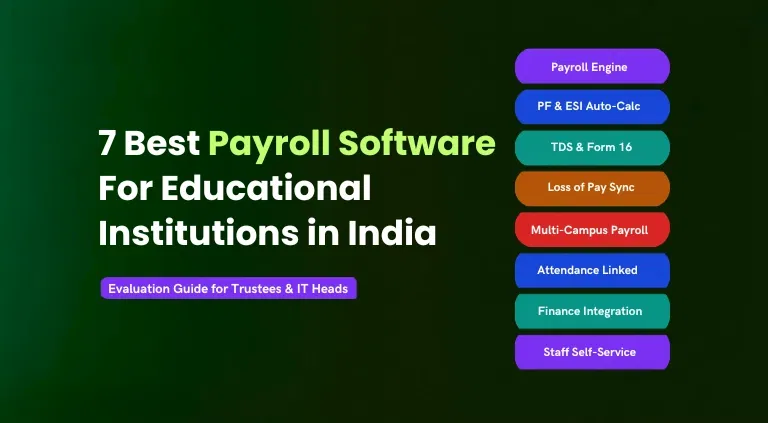
7 Best Payroll Software for Educational Institutions in India
1. edumerge HRMS
Purpose-built payroll and HRMS platform for schools, colleges, universities and education groups in India. Running payroll on the same data layer as attendance, academics, and finance. Also trusted by 800+ schools and used across colleges and education groups since 2012.
Key strengths:
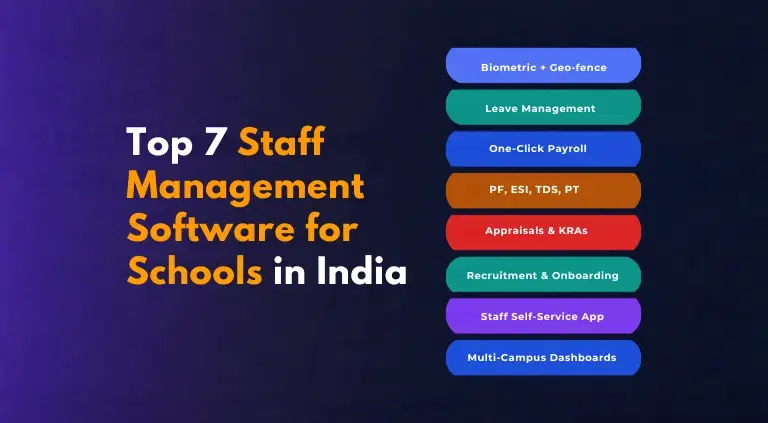
- One-click payroll that auto-calculates PF, ESI, Professional Tax, and TDS from integrated attendance and leave data, with no manual reconciliation.
- Education-specific salary structures for teaching, non-teaching, part-time, and contractual staff
- Attendance from the academic timetable feeds payroll computation automatically.
- Leave management connects directly to Loss of Pay calculations.
- Monthly payroll journal entries (salary, PF, ESI, TDS) post automatically to the Finance & Control module, removing re-entry across systems.
- Multi-campus support: centralised HR policies, inter-campus transfer management, and consolidated group-level workforce reporting from a single dashboard.
- Faculty qualification tracking and academic KPIs built into the appraisal module.
- Personalised digital salary slips auto-generated and delivered to each staff member, with staff advances and repayment tracked on the same platform.
- Biometric and geo-fenced attendance, reimbursement management, and full & final settlement covered natively
- Available standalone or as part of edumergeOS alongside School ERP, College ERP, and Finance & Control for institutions wanting a single unified system.
2. Keka HR
Modern cloud HRMS with strong payroll automation and a polished employee-facing interface, widely used by Indian SMBs and tech companies.
Key strengths:
- Reliable PF, ESI, and TDS compliance handling
- Smooth attendance-to-payroll integration
- Fast employee onboarding and a modern, easy-to-navigate interface
What to note:
- Not built for education; academic-calendar payroll, teaching workload, and faculty structures need manual configuration
- No native integration with school or college academic operations, student records, or fee management
- Pricing follows a custom, enterprise-style discussion rather than a fixed published rate
For a side-by-side look at how the two platforms handle education-specific payroll, see edumerge HRMS vs Keka.
3. greytHR
Dedicated payroll and HRMS platform with deep Indian statutory compliance, commonly used by Indian SMBs and NGOs, including some smaller schools.
Key strengths:
- Transparent, SMB-friendly pricing
- Broad support ecosystem, including compliance learning resources and an HR community
- Strong ECR file generation for PF filing
What to note:
- Architecture is built around a corporate workforce model, not academic staff structures
- No academic calendar alignment, faculty qualification tracking, or UGC pay structure support
- Biometric attendance typically needs a separate integration layer
Institutions weighing statutory compliance depth against education-native design can compare the two directly in edumerge HRMS vs greytHR.
4. Darwinbox
Enterprise-grade HRMS positioned for large organisations with complex HR requirements, used by several large Indian conglomerates and a limited number of large education groups.
Key strengths:
- Covers core HR, talent acquisition, performance management, payroll, and analytics on one platform
- Built to handle scale, suited to organisations with 500 or more employees
What to note:
- Best fit is large enterprises rather than education-specific institutions; academic workflows require custom build-out
- Implementation and configuration overhead is higher than mid-market Indian HR tools
- No out-of-the-box connection to academic ERP, timetables, or student-linked fee and finance data
You might also like this comparison on edumerge HRMS vs Darwinbox.
5. SAP SuccessFactors (Autonomous HCM)
Global enterprise HCM suite offering payroll and workforce management, occasionally deployed by large private universities and multi-country education groups.
Key strengths:
- Deep global payroll and compliance framework across multiple countries
- Strong analytics, workforce planning, and talent management capabilities
- Scales well for institutions with large, geographically spread staff bases
What to note:
- Indian statutory compliance is typically delivered through configuration or implementation partners, which can slow updates to new labour law changes
- Significant implementation cost and timeline; generally out of reach for single schools or small college groups
- No native academic-calendar payroll, faculty workload, or student-system integration
Large education groups evaluating a global HCM suite against an education-native platform can find the detailed breakdown in edumerge HRMS vs SAP SuccessFactors.
6. Oracle Human Capital Management (HCM)
Enterprise cloud HCM platform covering payroll, workforce management, and talent processes, occasionally used by large university systems with existing Oracle infrastructure.
Key strengths:
- Comprehensive core HR, payroll, and talent suite with strong global scalability
- Deep integration with Oracle Finance and ERP modules where already in use
- Robust reporting and workforce analytics
What to note:
- Heavy, long-cycle implementations better suited to large institutions already on Oracle infrastructure
- Education-specific workflows (faculty pay structures, academic-year cycles, timetable-linked attendance) are not native and require custom build
- Total cost of ownership, licensing plus implementation plus customisation, is high relative to education-sector budgets
Take a look at the comparison between edumerge HRMS vs Oracle HCM to see how a heavy, long-cycle enterprise implementation stacks up against a platform built specifically for academic-calendar payroll and faculty structures.
7. Workday
Cloud-based HCM and payroll platform popular with large global enterprises, used in India mainly by MNCs and a small number of large, well-funded university systems.
Key strengths:
- Unified HR, payroll, and financial planning on one cloud platform
- Strong workforce analytics and planning tools
- Widely regarded for scalability across large, multi-country organisations
What to note:
- Indian statutory payroll compliance is generally delivered through partner configuration rather than being native to the core product
- Pricing and implementation are geared toward large enterprises, not typical school or mid-size college budgets
- No built-in academic-calendar payroll, faculty qualification tracking, or education ERP integration.
Explore the comparison between edumerge HRMS vs Workday on how they stack up on Indian statutory compliance and other features.
Who Should Be Involved in Evaluating Payroll Software for Educational Institutions
Payroll software is rarely bought in isolation. It is usually one part of a larger ERP/HRMS decision. And different decision-makers in the institution are weighing different priorities at the same time.
| Decision-Maker | Key priority when evaluating payroll software |
|---|---|
| Trustee or Chairperson | Wants consolidated, real-time visibility into payroll cost and compliance across every campus, without waiting for a monthly report from each one. |
| Principal or Academic Head | Cares whether payroll and leave align with the academic calendar, so staff attendance during exam duty or vacation does not need manual correction. |
| Registrar | Needs faculty-specific pay structures, such as research allowances and examination duty pay, handled natively alongside regular staff pay. |
| IT Head or Admin | Evaluates whether the system needs on-premise infrastructure, how role-based access is enforced, and how it integrates with existing HR and finance tools. |
| Finance Head | Focuses on whether payroll postings flow directly into the general ledger and whether reconciliation is audit-ready at any point in the year. |
Institutions that choose well are the ones where these decision-makers evaluate the system together, against a shared set of criteria. Rather than each stakeholder signing off on a different vendor promise.
If you are weighing this decision at the university level, take a look at payroll software built specifically for universities, where faculty pay structures and research allowances carry more weight.
How Leadership Should Evaluate Payroll Software for Educational Institutions
Before shortlisting any platform, leadership should get direct answers to the questions that decide whether a system will actually work for an academic institution, not just look good in a sales demo.
- Does the system support separate pay structures for teaching, non-teaching, and contractual staff out of the box?
- Can Loss of Pay (LOP) be calculated automatically from attendance and leave data, without manual intervention every cycle?
- Are PF, ESI, TDS, and Professional Tax (PT) calculations built in, and does the vendor update them when statutory rates change?
- Can payroll run across multiple campuses from a single dashboard while keeping campus-wise records intact?
- Does payroll data post directly to the finance ledger, or does someone still have to re-enter journal entries?
- What does the implementation timeline look like, and how much training will administrative staff need?
- Is there a staff self-service option for payslips, leave applications, and tax declarations?
- What audit trail and reporting does the system give trustees and auditors without a separate request to HR?
Visibility is one of the recurring gaps this evaluation checklist is meant to catch. This piece on what trustees can't see about staff across campuses breaks down exactly where that blind spot shows up in a multi-campus trust.
Conclusion
Choosing payroll software for an educational institution is not about finding the platform with the longest feature list. It's about confirming that the system understands staff categories, academic calendars & multi-campus structures the way the educational institution actually operate.
The institutions that get this right treat the decision as a shared exercise. Trustees, Principals, Registrars, IT & Finance Heads evaluate the same system against the same criteria. Instead of each stakeholder approving a different vendor promise in isolation.
edumerge HRMS is built around exactly this evaluation criteria. With one-click payroll, automatic statutory compliance, and academic-calendar leave native to the platform.
Frequently Asked Questions (FAQs)
1. Does payroll software for schools handle PF, ESI, and TDS automatically?
Yes, education-native payroll software calculates PF, ESI, TDS, and Professional Tax automatically on every pay run and generates the corresponding statutory filings.
2. Can payroll software handle multiple campuses under one trust?
Purpose-built platforms allow each campus to maintain its own staff records and pay policy while giving trustees one consolidated, group-wide view.
3. How does Loss of Pay get calculated in an integrated payroll system?
Unpaid leave and unauthorised absences recorded in the leave management module flow directly into payroll, and the deduction is calculated automatically without manual entry.
4. Is payroll software for educational institutions cloud-based?
Most current platforms are cloud-based, removing the need for on-premise servers and allowing staff to access payslips and apply for leave from a mobile app.
5. How long does it take to implement payroll software in a school or college?
Implementation timelines vary by institution size and campus count, so leadership should ask vendors directly for a phased rollout plan and dedicated support during onboarding.
6. Does payroll software connect with the institution's finance and accounting system?
In an integrated ERP, payroll postings, including salary, PF, ESI, and TDS journal entries, flow directly into the finance ledger without manual re-entry.
7. What should leadership check before signing a payroll software contract?
Leadership should confirm support for mixed staff categories, automatic statutory compliance, multi-campus operation, finance integration, and a clear implementation timeline before signing.